
ウェビナーをレベルアップ: BigBlueButton を効果的なウェビナー ソリューションに変える
BigBlueButton オープンソース Web 会議システムは、オンライン授業やビデオ会議を実施するために、世界中の学校、大学、私立教師によって広く使用されています。しかし、あなたが唯一の発表者で、他の全員が視聴者として参加するウェビナーを実行する必要がある場合はどうすればよいでしょうか? BigBlueButton を使用すると、ウェビナーを実行することもできます。この記事では、BigBlueButton システムをウェビナー プラットフォームに変換する方法を説明します。
To turn BigBlueButton into a webinar system a moderator should make a simple fix – he should restrict users from sharing webcams and microphones and allow them to join as viewers only.
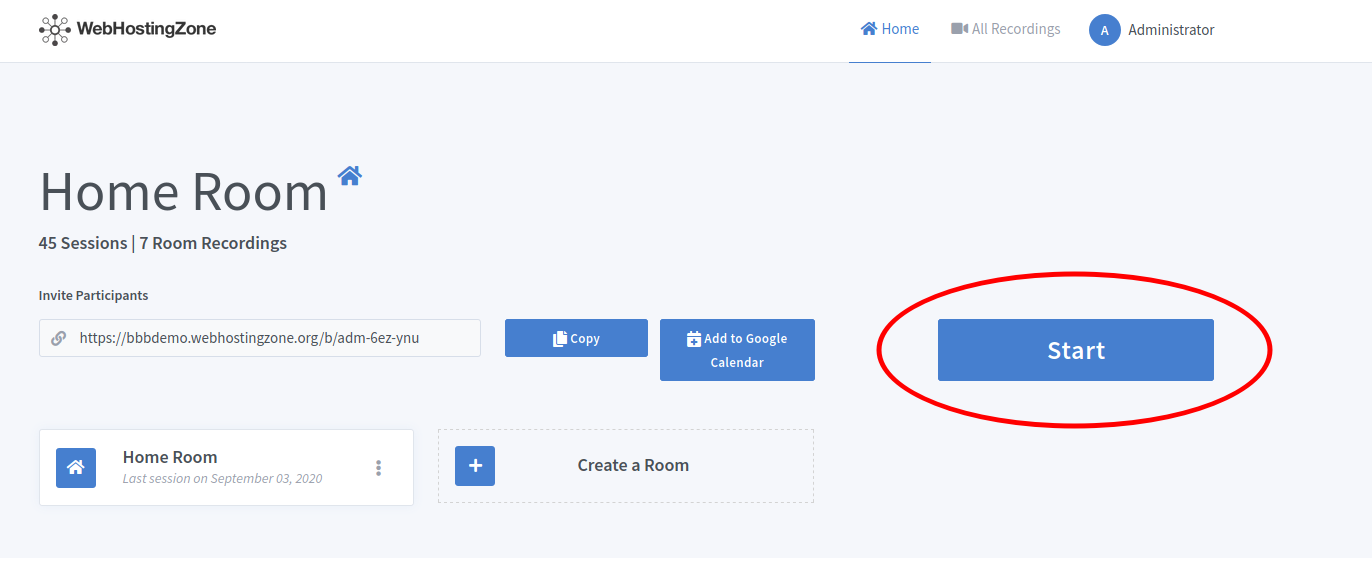
- Greenlight コントロール パネル内からモデレーターが会議を開始します。
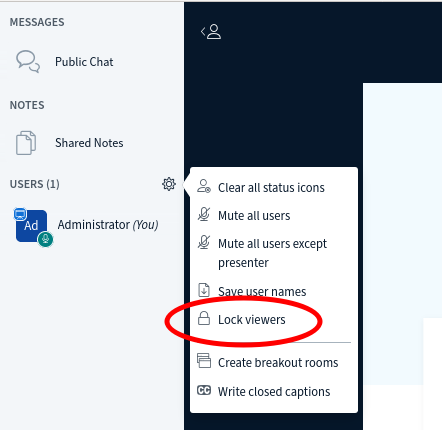
- Then click on the gear icon in the left column and after click “Lock viewers” link.
- A pop-up will appear. Lock the following features there: “share webcam”, “see other viewers webcams”, “share microphone” and optionally also lock “send Private chat messages”, “Edit Shared Notes”.
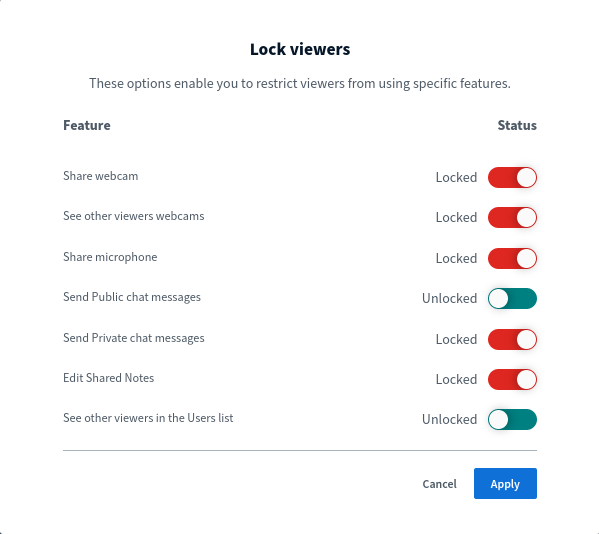
- Click on the “Apply” button in order to save changes.
参加リンクを送信して、ユーザーをウェビナーに招待できるようになりました。ユーザーはウェビナー モード (表示専用モード) でミーティングに参加します。に応じて BigBlueButton ハードウェア これを使用すると、100、200、500、さらには 1000 人の視聴者を対象にウェビナーを実行できます。
タグ:
ウェブサイトホスティング