
Migliora i tuoi webinar: trasforma BigBlueButton in una soluzione webinar efficace
Il sistema di conferenza web open source BigBlueButton è ampiamente utilizzato da scuole, college, università e insegnanti privati in tutto il mondo per tenere lezioni online e videoconferenze. Ma cosa succede se devi organizzare un webinar in cui sei l'unico relatore e tutti gli altri partecipano come spettatori? BigBlueButton consente anche di eseguire webinar! In questo post ti mostrerò come convertire il sistema BigBlueButton in una piattaforma webinar.
To turn BigBlueButton into a webinar system a moderator should make a simple fix – he should restrict users from sharing webcams and microphones and allow them to join as viewers only.
- Dall'interno del pannello di controllo Greenlight il moderatore avvia una riunione.
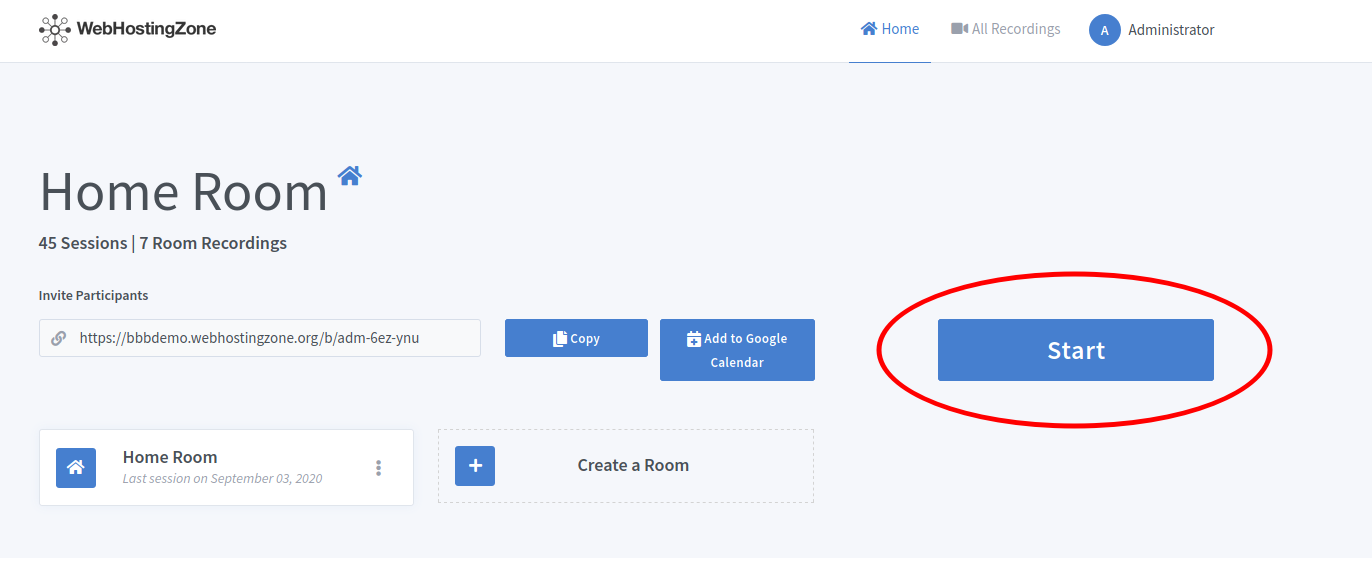
- Then click on the gear icon in the left column and after click “Lock viewers” link.
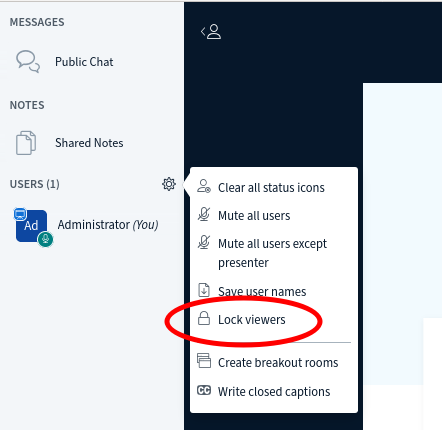
- A pop-up will appear. Lock the following features there: “share webcam”, “see other viewers webcams”, “share microphone” and optionally also lock “send Private chat messages”, “Edit Shared Notes”.
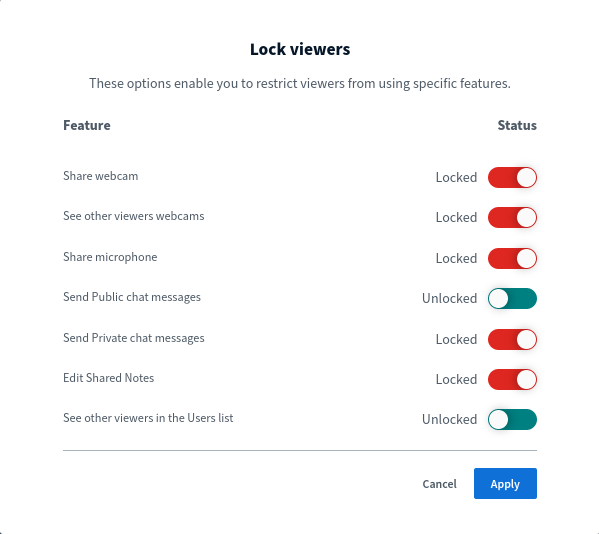
- Click on the “Apply” button in order to save changes.
Ora puoi invitare gli utenti al webinar inviando loro un collegamento di partecipazione. Gli utenti parteciperanno a una riunione in modalità webinar (modalità di sola visualizzazione). A seconda Hardware BigBlueButton utilizzato puoi eseguire webinar con 100, 200, 500 e persino 1000 spettatori!
Etichetta:
hosting di siti web