
Pozdvihnite svoje webináre: Premeňte BigBlueButton na efektívne riešenie webinárov
Webový konferenčný systém BigBlueButton s otvoreným zdrojom je široko používaný školami, vysokými školami, univerzitami a súkromnými učiteľmi na celom svete na organizovanie online kurzov a videokonferencií. Čo ak však potrebujete spustiť webinár, kde ste jediným prezentujúcim a všetci ostatní sa pridajú ako diváci? BigBlueButton umožňuje spúšťať aj webináre! V tomto príspevku vám ukážem, ako previesť systém BigBlueButton na platformu webinárov.
To turn BigBlueButton into a webinar system a moderator should make a simple fix – he should restrict users from sharing webcams and microphones and allow them to join as viewers only.
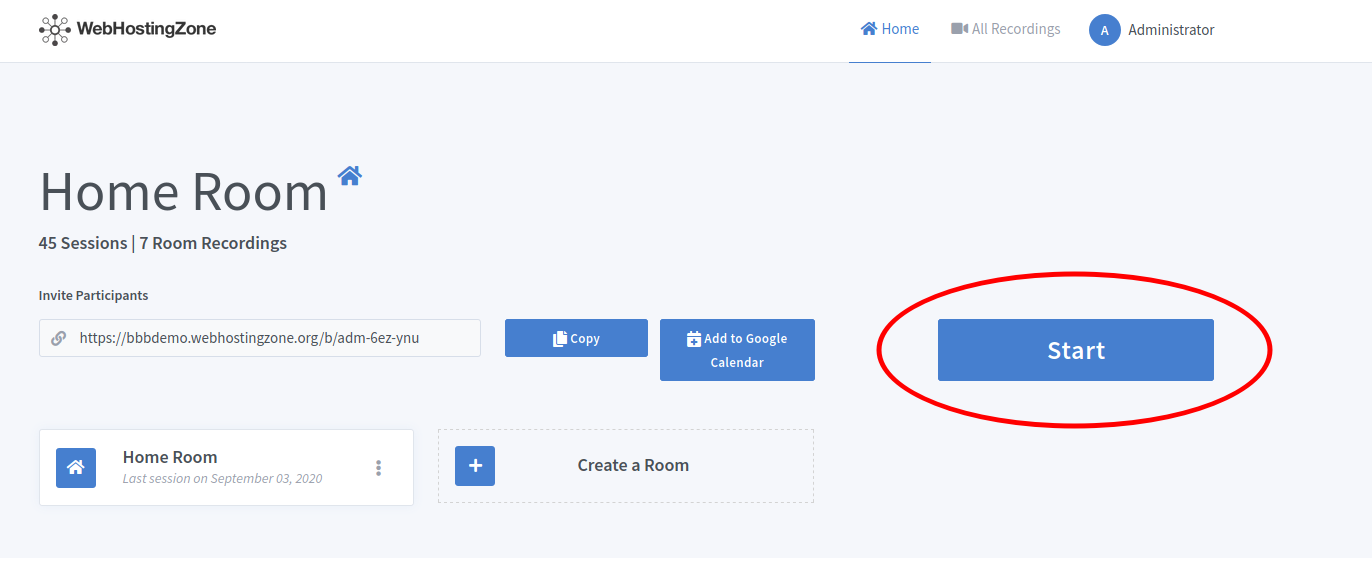
- Moderátor ovládacieho panela Greenlight začne schôdzu zvnútra.
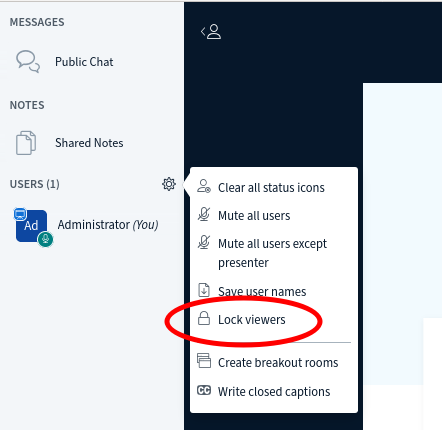
- Then click on the gear icon in the left column and after click “Lock viewers” link.
- A pop-up will appear. Lock the following features there: “share webcam”, “see other viewers webcams”, “share microphone” and optionally also lock “send Private chat messages”, “Edit Shared Notes”.
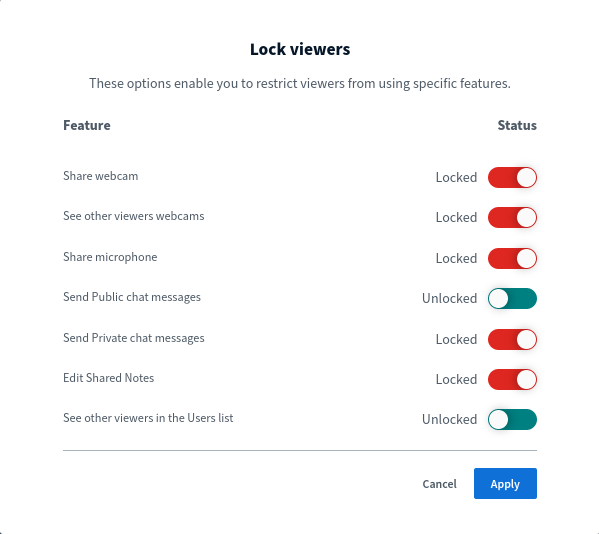
- Click on the “Apply” button in order to save changes.
Teraz môžete pozvať používateľov na webinár odoslaním odkazu na pripojenie. Používatelia sa pripoja k schôdzi v režime webinára (režim iba na zobrazenie). V závislosti od Hardvér BigBlueButton môžete spustiť webináre so 100, 200, 500 a dokonca 1 000 divákmi!
Značka:
hosting webových stránok