
웹 세미나 향상: BigBlueButton을 효과적인 웹 세미나 솔루션으로 전환
BigBlueButton 오픈 소스 웹 회의 시스템은 전 세계의 학교, 대학 및 사립 교사가 온라인 수업 및 화상 회의를 실행하는 데 널리 사용됩니다. 하지만 자신이 유일한 발표자이고 다른 모든 사람이 시청자로 참여하는 웹 세미나를 진행해야 한다면 어떻게 해야 할까요? BigBlueButton을 사용하면 웹 세미나도 실행할 수 있습니다! 이 게시물에서는 BigBlueButton 시스템을 웹 세미나 플랫폼으로 변환하는 방법을 보여 드리겠습니다.
To turn BigBlueButton into a webinar system a moderator should make a simple fix – he should restrict users from sharing webcams and microphones and allow them to join as viewers only.
- Greenlight 제어판 내부에서 중재자가 회의를 시작합니다.
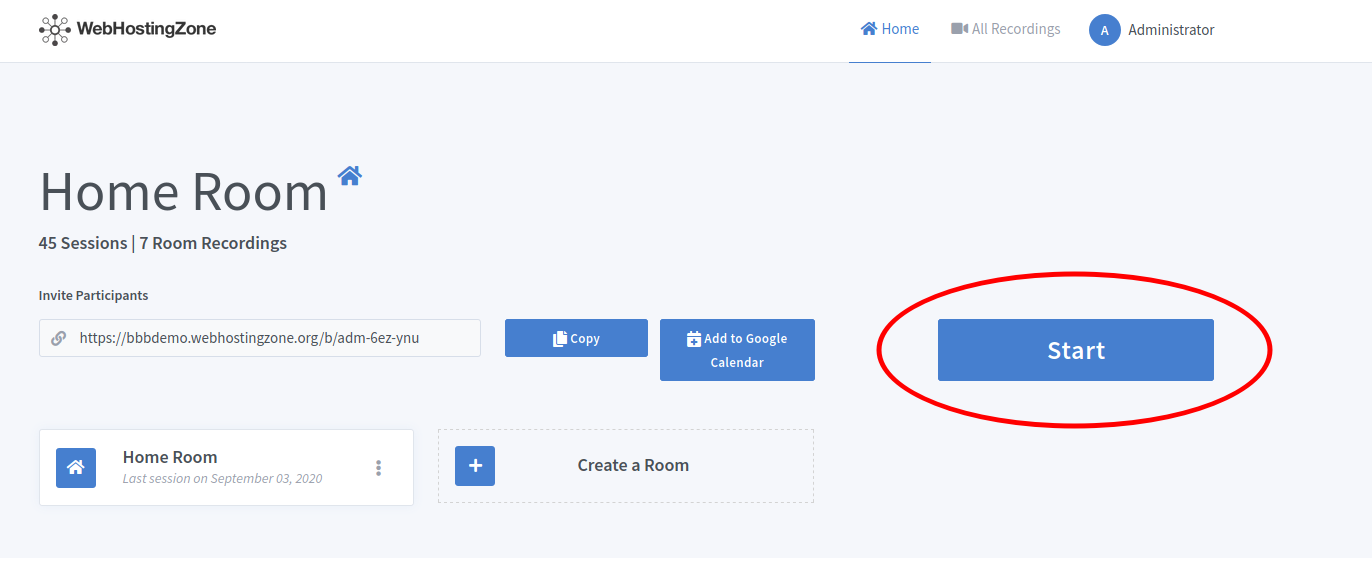
- Then click on the gear icon in the left column and after click “Lock viewers” link.
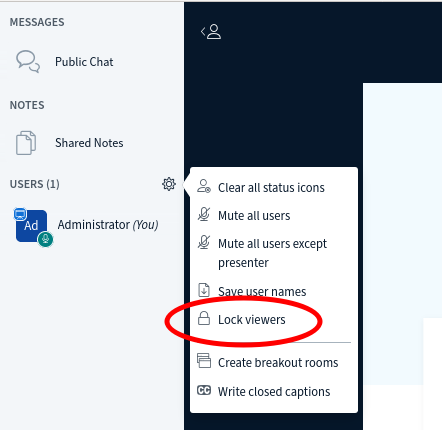
- A pop-up will appear. Lock the following features there: “share webcam”, “see other viewers webcams”, “share microphone” and optionally also lock “send Private chat messages”, “Edit Shared Notes”.
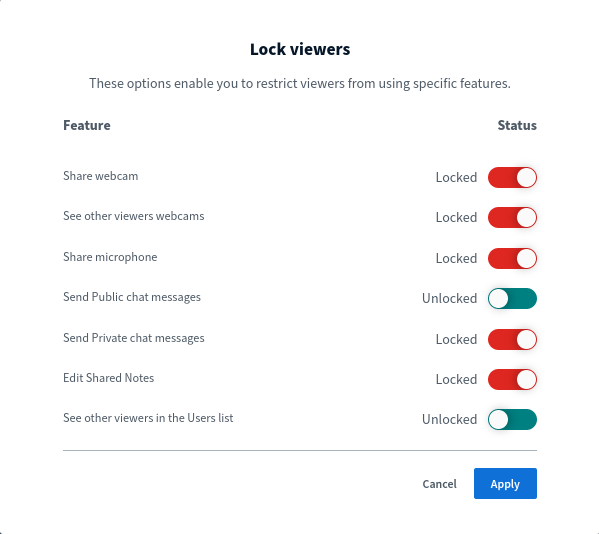
- Click on the “Apply” button in order to save changes.
이제 참여 링크를 보내 사용자를 웨비나에 초대할 수 있습니다. 사용자는 웨비나 모드(보기 전용 모드)로 회의에 참여하게 됩니다. 에 따라 BigBlueButton 하드웨어 이를 사용하면 100, 200, 500, 심지어 1000명의 시청자와 함께 웨비나를 실행할 수 있습니다!
꼬리표:
웹사이트 호스팅