
この記事では、UbuntuサーバーまたはコンピューターにGITをインストールする方法を示します。
すでにGITがプリインストールされている可能性があります。したがって、UbuntuにGitをインストールする前に、すでにインストールされていないことを確認してください。ターミナルを開いて、次のように入力します:
$ git --version
git version 2.34.1
出力にgitのバージョンが表示される場合は、ラッキーです。gitはすでにUbuntuマシンにインストールされています。gitの使用を開始できます!
APTを使用してgitをインストールする
If command “git –version” shows error “Command ‘git’ not found” then you need to install git. Use APT package manager to perform the installation.
$ sudo apt install git

The following NEW packages will be installed: git
After this operation, 18,9 MB of additional disk space will be used.
Get:1 http://ua.archive.ubuntu.com/ubuntu jammy-updates/main amd64 git amd64 1:2.34.1-1ubuntu1.10 [3 166 kB]
Fetched 3 166 kB in 1s (4 297 kB/s)
Selecting previously unselected package git.
(Reading database ... 402237 files and directories currently installed.)
Preparing to unpack .../git_1%3a2.34.1-1ubuntu1.10_amd64.deb ...
Unpacking git (1:2.34.1-1ubuntu1.10) ...
Setting up git (1:2.34.1-1ubuntu1.10) ...
gitパッケージが正しくインストールされているか確認しましょう。
$ git --version
git version 2.34.1
That’s it. You can start using git. Did you expect more steps?
Suggested packages – which do you need?
インストールのために推奨される追加パッケージがあります:git-daemon-run、git-daemon-sysvinit、git-doc、git-email、git-gui、gitk、gitweb、git-cvs、git-mediawiki、git-svn。それらは何を提供しますか?
git-daemon-runとは何ですか
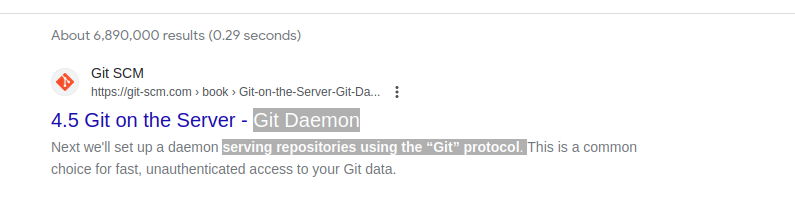
git-daemon-runに関する簡単なGoogle検索では、独自のGitサーバーを実行するためにgitをデーモン化することが可能であることが明らかになります。コラボレーションのためにローカルのGitリポジトリをネットワーク越しにアクセス可能にしたい場合、git-daemonが役立つかもしれません。
You do not need a Git daemon if you don’t plan to run own Git server. And if you plan to run own Git server – there are better options than a git-daemon, such as Gitolite, gitea または 類似.
git-docとは何か
パッケージに関する情報をリポジトリに問い合わせましょう:
$ sudo apt show git-doc
Package: git-doc
Version: 1:2.34.1-1ubuntu1.10
Priority: optional
... omitting lines with info about developers ...

This package provides the documentation
As you can see git-doc package provides documentation. You don’t need to install it since all the gitドキュメント 必要なものはオンラインで入手できます。
git-emailパッケージとは何ですか?
Lets run the same “apt show” trick with the git-email package.
$ sudo apt show git-email
Package: git-email
Version: 1:2.34.1-1ubuntu1.10
Priority: optional
This package provides the git-send-email program for sending series of
patch emails.
パッチをメールとして送信することが役立つ場合があります。ですので、GITを積極的に開発および使用している場合、このパッケージは便利かもしれません。
You don’t need extra packages to use GIT
gitがインストールされたら、さあ使い始めましょう。実践を通じて学ぶ以上の方法はありません。空のリポジトリを作成するか、Githubから既存のリポジトリをクローンしてコーディングを始めましょう!
以下のコマンドは現在のディレクトリにGitリポジトリを初期化します。
$ git init
Initialized empty Git repository in /home/gitproject/.git/
And to clone an existing repository from Github use “git clone REPO_URL” command. For example:
$ git clone https://github.com/EugeneWHZ/canvaslms-ansible-installation.git
Cloning into 'canvaslms-ansible-installation'...
remote: Enumerating objects: 66, done.
remote: Total 66 (delta 0), reused 0 (delta 0), pack-reused 66
Receiving objects: 100% (66/66), 13.81 KiB | 589.00 KiB/s, done.
Resolving deltas: 100% (10/10), done.
Conclusion: use version control, it’s easy!
Gitをインストールして、あなたの生活にバージョン管理を追加しましょう。後で自分に感謝することになるでしょう。