
У цій статті я покажу вам, як встановити GIT на сервер або комп’ютер Ubuntu.
Існує ймовірність, що у вас уже попередньо встановлено GIT. Тож перед спробою інсталювати Git на Ubuntu переконайтеся, що він ще не інстальований. Відкрийте термінал і введіть:
$ git --version
git version 2.34.1
Якщо вихідні дані показують версію git, то вам пощастило, і git уже встановлено на вашій машині Ubuntu. Ви можете почати використовувати git!
Встановлення git через APT
If command “git –version” shows error “Command ‘git’ not found” then you need to install git. Use APT package manager to perform the installation.
$ sudo apt install git

The following NEW packages will be installed: git
After this operation, 18,9 MB of additional disk space will be used.
Get:1 http://ua.archive.ubuntu.com/ubuntu jammy-updates/main amd64 git amd64 1:2.34.1-1ubuntu1.10 [3 166 kB]
Fetched 3 166 kB in 1s (4 297 kB/s)
Selecting previously unselected package git.
(Reading database ... 402237 files and directories currently installed.)
Preparing to unpack .../git_1%3a2.34.1-1ubuntu1.10_amd64.deb ...
Unpacking git (1:2.34.1-1ubuntu1.10) ...
Setting up git (1:2.34.1-1ubuntu1.10) ...
Давайте перевіримо, чи пакет git встановлено правильно.
$ git --version
git version 2.34.1
That’s it. You can start using git. Did you expect more steps?
Suggested packages – which do you need?
Є додаткові пакети, запропоновані для встановлення: git-daemon-run, git-daemon-sysvinit git-doc git-email git-gui gitk gitweb git-cvs git-mediawiki git-svn. Що вони забезпечують
Що таке git-daemon-run
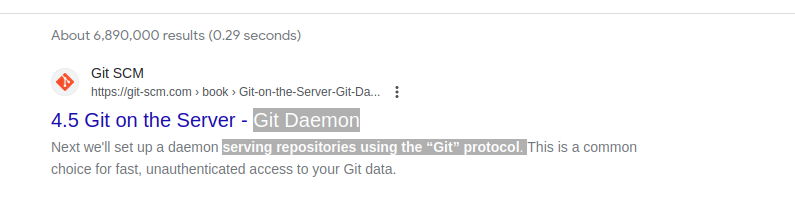
Швидкий пошук у Google git-daemon-run показує, що можна демонізувати git, щоб запустити власний сервер Git. Якщо ви хочете зробити ваші локальні сховища Git доступними через мережу для спільної роботи, git-daemon може бути вам корисним.
You do not need a Git daemon if you don’t plan to run own Git server. And if you plan to run own Git server – there are better options than a git-daemon, such as Гітоліт, гітеа або подібні.
Що таке git-doc
Давайте надішлемо запит до сховища інформації про пакет:
$ sudo apt show git-doc
Package: git-doc
Version: 1:2.34.1-1ubuntu1.10
Priority: optional
... omitting lines with info about developers ...

This package provides the documentation
As you can see git-doc package provides documentation. You don’t need to install it since all the git документація який вам може знадобитися, доступний онлайн.
Що таке пакет git-email
Lets run the same “apt show” trick with the git-email package.
$ sudo apt show git-email
Package: git-email
Version: 1:2.34.1-1ubuntu1.10
Priority: optional
This package provides the git-send-email program for sending series of
patch emails.
У деяких випадках може бути корисним надсилати виправлення електронними листами. Отже, якщо ви активно розробляєте та використовуєте GIT, цей пакет може стати в нагоді.
You don’t need extra packages to use GIT
Після встановлення git почніть використовувати його. Немає кращого способу вивчити git, ніж практика. Створіть порожній репозиторій або клонуйте існуючий репозиторій з Github і почніть кодувати!
Команда нижче ініціює сховище Git у поточному каталозі.
$ git init
Initialized empty Git repository in /home/gitproject/.git/
And to clone an existing repository from Github use “git clone REPO_URL” command. For example:
$ git clone https://github.com/EugeneWHZ/canvaslms-ansible-installation.git
Cloning into 'canvaslms-ansible-installation'...
remote: Enumerating objects: 66, done.
remote: Total 66 (delta 0), reused 0 (delta 0), pack-reused 66
Receiving objects: 100% (66/66), 13.81 KiB | 589.00 KiB/s, done.
Resolving deltas: 100% (10/10), done.
Conclusion: use version control, it’s easy!
Встановіть Git і додайте контроль версій у своє життя. Ви подякуєте собі за це пізніше.