
Šajā rakstā es jums parādīšu, kā instalēt GIT uz Ubuntu servera vai datora.
Pastāv iespēja, ka jums jau ir iepriekš instalēts GIT. Tāpēc pirms mēģināt instalēt Git uz Ubuntu pārliecinieties, ka tas jau nav instalēts. Atveriet termināli un ierakstiet:
$ git --version
git version 2.34.1
Ja izeja rāda git versiju, tad jums ir paveicies un git jau ir instalēts uz jūsu Ubuntu mašīnas. Jūs varat sākt izmantot git!
GIT instalēšana, izmantojot APT
If command “git –version” shows error “Command ‘git’ not found” then you need to install git. Use APT package manager to perform the installation.
$ sudo apt install git

The following NEW packages will be installed: git
After this operation, 18,9 MB of additional disk space will be used.
Get:1 http://ua.archive.ubuntu.com/ubuntu jammy-updates/main amd64 git amd64 1:2.34.1-1ubuntu1.10 [3 166 kB]
Fetched 3 166 kB in 1s (4 297 kB/s)
Selecting previously unselected package git.
(Reading database ... 402237 files and directories currently installed.)
Preparing to unpack .../git_1%3a2.34.1-1ubuntu1.10_amd64.deb ...
Unpacking git (1:2.34.1-1ubuntu1.10) ...
Setting up git (1:2.34.1-1ubuntu1.10) ...
Pārbaudīsim, vai git pakotne ir pareizi instalēta.
$ git --version
git version 2.34.1
That’s it. You can start using git. Did you expect more steps?
Suggested packages – which do you need?
Ir ieteiktas papildu pakotnes instalēšanai: git-daemon-run, git-daemon-sysvinit git-doc git-email git-gui gitk gitweb git-cvs git-mediawiki git-svn. Ko tās nodrošina?
Kas ir git-daemon-run
Ātra Google meklēšana par git-daemon-run atklāj, ka ir iespējams demonizēt git, lai palaistu savu Git serveri. Ja vēlaties padarīt savus lokālos Git repozitorijus pieejamus tīklā sadarbībai, tad git-daemon var būt noderīgs jums.
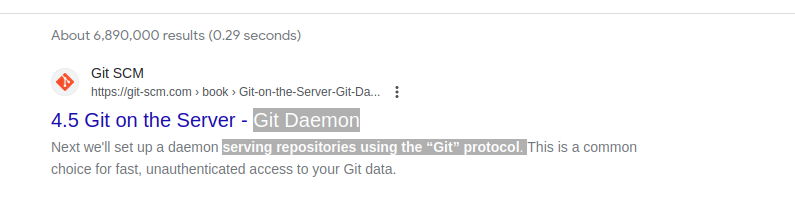
You do not need a Git daemon if you don’t plan to run own Git server. And if you plan to run own Git server – there are better options than a git-daemon, such as Gitolite, gitea vai līdzīgs.
Kas ir git-doc
Pārbaudīsim repozitoriju, lai iegūtu informāciju par pakotni:
$ sudo apt show git-doc
Package: git-doc
Version: 1:2.34.1-1ubuntu1.10
Priority: optional
... omitting lines with info about developers ...

This package provides the documentation
As you can see git-doc package provides documentation. You don’t need to install it since all the git dokumentācija jums varētu būt nepieciešams, kas ir pieejams tiešsaistē.
Kas ir git-email pakotne?
Lets run the same “apt show” trick with the git-email package.
$ sudo apt show git-email
Package: git-email
Version: 1:2.34.1-1ubuntu1.10
Priority: optional
This package provides the git-send-email program for sending series of
patch emails.
Dažos gadījumos var būt noderīgi sūtīt labojumus kā e-pastus. Tātad, ja jūs aktīvi attīstāt un izmantojat GIT, šī pakotne var noderēt.
You don’t need extra packages to use GIT
Kad git ir instalēts, dodieties uz priekšu un sāciet to izmantot. Nav labāka veida, kā iemācīties git, kā praktizējot. Izveidojiet tukšu repozitoriju vai noklonējiet esošu repozitoriju no Github un sāciet kodēt!
Zemāk esošais komanda iniciēs Git repozitoriju pašreizējā direktorijā.
$ git init
Initialized empty Git repository in /home/gitproject/.git/
And to clone an existing repository from Github use “git clone REPO_URL” command. For example:
$ git clone https://github.com/EugeneWHZ/canvaslms-ansible-installation.git
Cloning into 'canvaslms-ansible-installation'...
remote: Enumerating objects: 66, done.
remote: Total 66 (delta 0), reused 0 (delta 0), pack-reused 66
Receiving objects: 100% (66/66), 13.81 KiB | 589.00 KiB/s, done.
Resolving deltas: 100% (10/10), done.
Conclusion: use version control, it’s easy!
Instalējiet Git un pievienojiet versiju kontroli savam dzīvē. Jūs vēlāk sev par to pateiksiet.