
ในบทความนี้ ฉันจะแสดงวิธีการติดตั้ง GIT บนเซิร์ฟเวอร์ Ubuntu หรือคอมพิวเตอร์
มีโอกาสที่คุณจะติดตั้ง GIT ไว้ล่วงหน้าแล้ว ดังนั้นก่อนที่จะพยายามติดตั้ง Git บน Ubuntu ต้องแน่ใจว่ายังไม่ได้ติดตั้ง เปิดเทอร์มินัลแล้วพิมพ์:
$ git --version
git version 2.34.1
หากเอาต์พุตแสดงเวอร์ชันของ git แสดงว่าคุณโชคดีและมีการติดตั้ง git บนเครื่อง Ubuntu ของคุณแล้ว คุณสามารถเริ่มใช้ git!
การติดตั้งคอมไพล์ผ่าน APT
If command “git –version” shows error “Command ‘git’ not found” then you need to install git. Use APT package manager to perform the installation.
$ sudo apt install git

The following NEW packages will be installed: git
After this operation, 18,9 MB of additional disk space will be used.
Get:1 http://ua.archive.ubuntu.com/ubuntu jammy-updates/main amd64 git amd64 1:2.34.1-1ubuntu1.10 [3 166 kB]
Fetched 3 166 kB in 1s (4 297 kB/s)
Selecting previously unselected package git.
(Reading database ... 402237 files and directories currently installed.)
Preparing to unpack .../git_1%3a2.34.1-1ubuntu1.10_amd64.deb ...
Unpacking git (1:2.34.1-1ubuntu1.10) ...
Setting up git (1:2.34.1-1ubuntu1.10) ...
ให้ตรวจสอบว่าแพ็คเกจ git ได้รับการติดตั้งอย่างถูกต้อง
$ git --version
git version 2.34.1
That’s it. You can start using git. Did you expect more steps?
Suggested packages – which do you need?
มีแพ็คเกจเพิ่มเติมที่แนะนำสำหรับการติดตั้ง: git-daemon-run, git-daemon-sysvinit git-doc git-email git-gui gitk gitweb git-cvs git-mediawiki git-svn พวกเขาให้อะไร
git-daemon-run คืออะไร
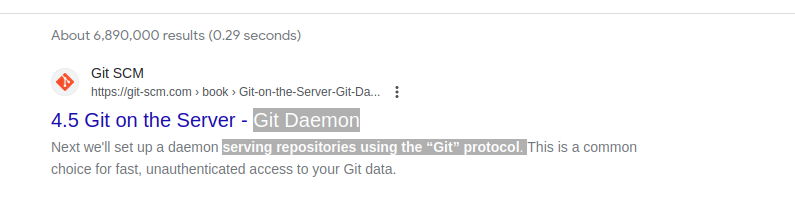
การค้นหาโดย Google อย่างรวดเร็วบน git-daemon-run เผยให้เห็นว่าเป็นไปได้ที่จะ Demonize git เพื่อเรียกใช้เซิร์ฟเวอร์ Git ของตัวเอง หากคุณต้องการให้ที่เก็บข้อมูล Git ในเครื่องของคุณสามารถเข้าถึงได้ผ่านเครือข่ายเพื่อการทำงานร่วมกัน git-daemon อาจมีประโยชน์สำหรับคุณ
You do not need a Git daemon if you don’t plan to run own Git server. And if you plan to run own Git server – there are better options than a git-daemon, such as กิโตไลท์, กีเทีย หรือ คล้ายกัน.
git-doc คืออะไร
ให้สอบถามพื้นที่เก็บข้อมูลเพื่อดูข้อมูลเกี่ยวกับแพ็คเกจ:
$ sudo apt show git-doc
Package: git-doc
Version: 1:2.34.1-1ubuntu1.10
Priority: optional
... omitting lines with info about developers ...

This package provides the documentation
As you can see git-doc package provides documentation. You don’t need to install it since all the เอกสารคอมไพล์ คุณอาจต้องการออนไลน์
แพ็คเกจ git-email คืออะไร
Lets run the same “apt show” trick with the git-email package.
$ sudo apt show git-email
Package: git-email
Version: 1:2.34.1-1ubuntu1.10
Priority: optional
This package provides the git-send-email program for sending series of
patch emails.
ในบางกรณีการส่งแพตช์เป็นอีเมลอาจมีประโยชน์ ดังนั้นหากคุณกำลังพัฒนาและใช้ GIT อย่างจริงจัง แพ็คเกจนี้อาจมีประโยชน์
You don’t need extra packages to use GIT
เมื่อติดตั้ง git แล้วให้เริ่มใช้งานได้เลย ไม่มีวิธีใดที่จะดีไปกว่าการเรียนรู้ git มากกว่าการฝึกฝน สร้างพื้นที่เก็บข้อมูลว่างหรือโคลนพื้นที่เก็บข้อมูลที่มีอยู่จาก Github และเริ่มเขียนโค้ด!
คำสั่งด้านล่างจะเริ่มต้นพื้นที่เก็บข้อมูล Git ในไดเร็กทอรีปัจจุบัน
$ git init
Initialized empty Git repository in /home/gitproject/.git/
And to clone an existing repository from Github use “git clone REPO_URL” command. For example:
$ git clone https://github.com/EugeneWHZ/canvaslms-ansible-installation.git
Cloning into 'canvaslms-ansible-installation'...
remote: Enumerating objects: 66, done.
remote: Total 66 (delta 0), reused 0 (delta 0), pack-reused 66
Receiving objects: 100% (66/66), 13.81 KiB | 589.00 KiB/s, done.
Resolving deltas: 100% (10/10), done.
Conclusion: use version control, it’s easy!
ติดตั้ง Git และเพิ่มการควบคุมเวอร์ชันให้กับชีวิตของคุณ คุณจะขอบคุณตัวเองในภายหลัง