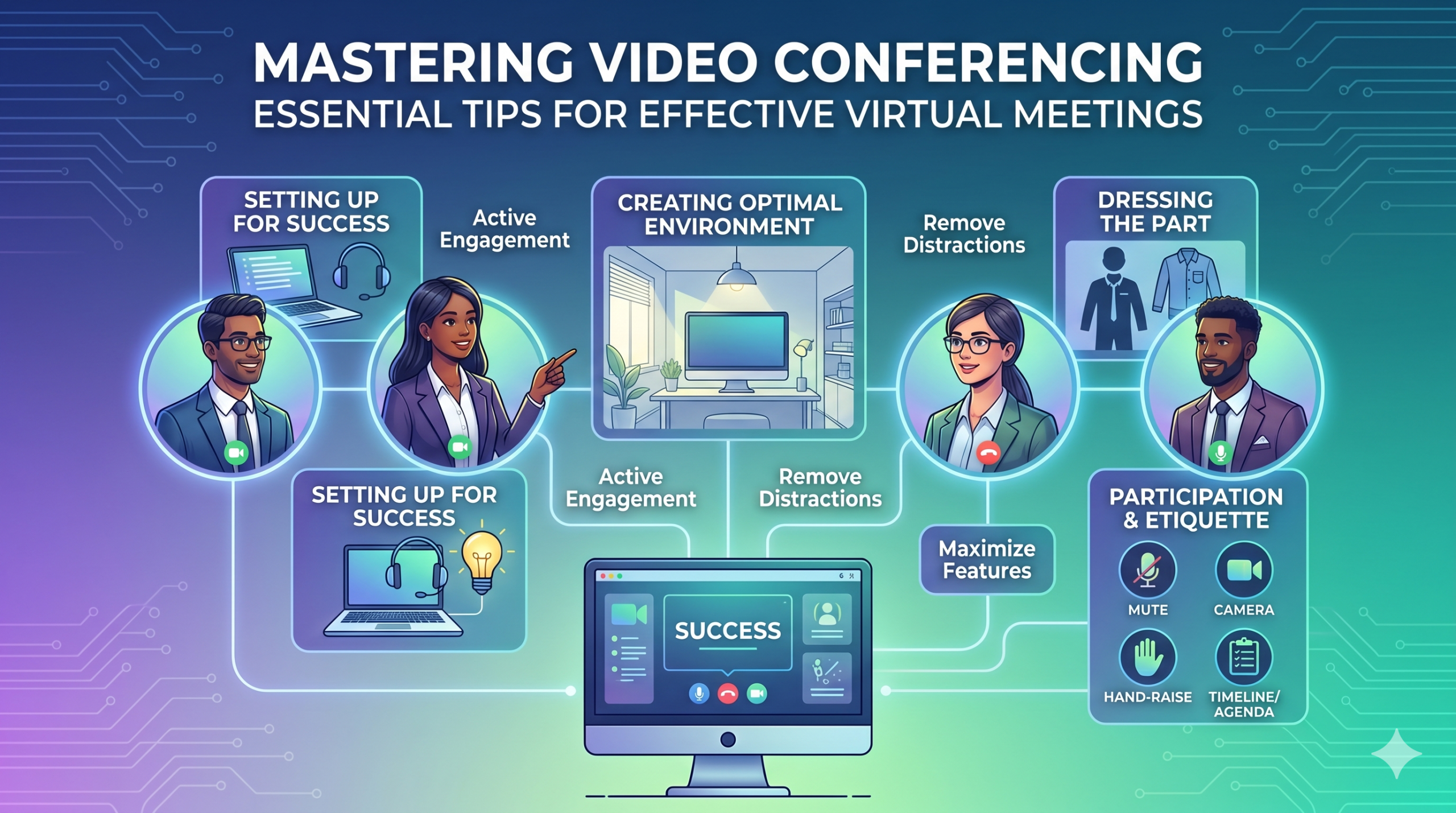

Tehnoloogia on kiiresti muutnud, kuidas ettevõtted tegutsevad, ja ei näi, et see varsti aeglustuks. Suhtlemine, tegevused ja töövoog on kõik paranenud, muutes koostöös töötamise lihtsamaks, olenemata ettevõtte või töötajate asukohast.
Nüüd ei ole kaugtöö enam lihtsalt eelis, vaid uus norm, muutes virtuaalsed koosolekud vajalikuks.
Siin on huvitav fakt: Peaaegu 96% töötajatest ütlesid, et videokõned aitavad nende kaugmeeskondadel end rohkem ühendatuna tunda.
In virtual meetings, employees are supposed to share thoughts, talk about relevant topics, and solve problems as a team. But more often than not, things don’t go as planned.
People start to tune out, conversations go off track, meetings go over time, and some participants aren’t engaged. The result? We’re left with a lot of room for improvement for virtual meetings to be truly productive and effective.
On the flip side, when meetings go well, there’s a positive vibe in the team, everyone understands their expectations and responsibilities, and productivity and efficiency increase.
That’s what the goal of a great video conference is, every time.
In this article, we’ll share some of the best video conferencing tips to help you achieve more success in your collaborative effects. So read on.
Edukaks ettevalmistamine
Now that so many of us are partaking in video conferences more frequently, making oneself appear and sound professional isn’t always easy when seated in PJs from the waist down.
Oleme tõenäoliselt kõik olnud tunnistajaks ja andnud panuse mõningatesse vähem kui ideaalsetesse või isegi piinlikesse hetkedesse videokonverentsi ajal.
To avoid such situations, here are some video conferencing tips that’ll help you set up for success from the start:
Õigete tööriistade valimine
Esiteks—platvorm, mille valid, võib tõeliselt muuta seda, kuidas sinu meeskonnad asju teevad.
Kui valid vale, võid sattuda probleemidesse, nagu pikad, aeglased ja keerulised koosolekute seadistused, inimesed, kes ei suuda sinu üritusele liituda, teadmatus, kes kohal on, või piiratud tööriistad teabe esitamiseks ja suhtlemiseks.
To make the right call on the tool to use, figure out what’s most important for your team.
Võib-olla vajad platvormi, mis töötab otse sinu veebibrauseris, on väga lihtne käivitada ja millel on liideses vähe keerukust. Võib-olla otsid ajurünnakute jaoks tahvelarvuteid või funktsiooni, mis salvestab koosolekuid automaatselt.
Siin on mõned levinumad omadused, mida otsida tõhusas virtuaalses koosoleku tööriistas:
- Lihtne kasutada: See peaks olema kõigile lihtne kasutada – isegi tehnoloogia algajatele, kes ei ole tarkvara kasutamises hästi kursis.
- Hea kvaliteediga video ja heli: Keegi ei soovi udust videot või heli, mis viibib. Mõned tööriistad käsitlevad madalamaid Wi-Fi signaale paremini kui teised.
- Interactive Tools: Tools that help everyone participate and engage – like sending visual reactions, chatting and sharing documents, and more.
- Analüütika: Saage teavet oma koosolekute kohta, et neid parandada (aeg, osalejate arv, kaasatuse statistika jne).
- Katab kõik, mida vajate: Tööriist peaks hästi toimima enne, ajal ja pärast koosolekut selle jaoks, mida te tegelikult vajate.
Lisavihjed tõhusaks konverentsiks
Tõenäoliselt saate koosoleku kutse palju enne teie planeeritud koosolekut. Minge veebisaidile või laadige rakendus eelnevalt alla ja logige sisse, et veenduda, et kõik töötab.
Ära jää hiljaks koosolekule lihtsalt sellepärast, et proovisid meelde jätta parooli sisselogimiseks või navigeerisid hulga "Luba vajalik" hüpikakende vahel, et pääseda oma kaamerasse ja mikrofoni.
Enamik videokonverentsi saite võimaldab sul luua testkoosoleku, et kõrvaldada kõik probleemid oma riistvaras, näiteks avastada, et su veebikaamera ei tööta või su mikrofon on konverentsivideo ajal liiga vaikne.
Optimaalse keskkonna loomine
Sa võid teada, kuidas videokõnedes suurepärane välja näha, aga kuidas on sinu videokonverentsi taustaga? See võib sinu kohta palju öelda, ja mitte alati heas mõttes.
Siin on mõned lihtsad näpunäited videokonverentside jaoks, et veenduda, et sinu keskkond edastab õiget sõnumit professionaalses keskkonnas:
- Get the Lighting Right: Good lighting makes you look professional. Use natural light from a window. Or go for soft and even lighting. Just don’t have too much light behind you.
- Keep the Background Simple: Don’t clutter your background with too many items. Keep it tidy and neutral. You can add a few personal items for a friendly touch.
- Kaunista sihipäraselt: Kui sul on taustal riiul või raamaturiiul, näita koosolekuga seotud auhindu või märkmeid. Tee see eesmärgipäraseks.
- Vältige uksi ja aknaid: Suunake oma kaamera eemale ustest ja akendest, et vältida segajaid ja valgustusprobleeme.
- Position Your Webcam Right: Place your webcam at eye level, three to eight feet away from you. That’ll help you avoid distortions.
- Create a Permanent Setup: Designate a spot for video calls so you don’t scramble every time. You can use a fabric or paper backdrop for convenience.
- Kasutage veebikaamera eelvaadet: Kontrollige, kuidas kõik kaameral välja näeb, enne kui kõne algab. Tehke vajadusel kohandusi.
Pidage meeles, et kui juhtub midagi ootamatut (näiteks teie väike laps siseneb), jääge rahulikuks ja hoidke professionaalsust - teie energia mõjutab ka "keskkonda", seega keskenduge sellele, et mitte kaotada oma rahu.
Esitlus ja kaasamine
Riietuge vastavalt
Riietuge korralikult ametlike koosolekute jaoks.
We’ve all had those days when working from home meant staying in pajamas for most of the day. It’s all good if you don’t have any video meetings. But when you do, it’s a big no-no for you and everyone else on the call.
Kanna tööle sobivat riietust.
You and your team should look the part for virtual meetings, even if it’s casual. You don’t need to wear a suit or a fancy dress but avoid wearing anything you wouldn’t wear at the office. Also, it’s a bit tricky to feel like you’re working when you’re in the same clothes you crashed out in.
You have a choice, though. You can look professional on top and keep comfy sweatpants or leggings on the bottom, out of sight. It’s your call, but being fully dressed might help you keep your head in the game.
Aktiivne osalemine
Vaata otse kaamerasse.
Many participants make this slip-up—they look at the video screen instead of the camera when talking to someone online. It might feel natural, but it actually makes you seem like you’re not fully engaged.
It can make you look a bit distant and not so professional. And it’s pretty obvious when you’re not all there during a video call.
Mõtle sellele nii: looking right into the camera lens is like looking someone in the eye when talking face-to-face. If someone talking to you in real life looks elsewhere instead of keeping eye contact, you’d think they are not interested in what you’re saying, right?
Looking directly into the camera is one of the basic video meeting etiquette. So, give it a go until you get the hang of it. It’ll make you seem more connected and professional during your virtual meetings.
Also, shut down all the extra apps and tabs you don’t need and turn off those pesky notifications that can distract you and your mates.
Vaikista end, kui sa ei räägi.
People can often tune out background noise on their end, but it’s tough to ignore when you’re on the receiving end of the call.
Nobody’s keen to listen to your cat’s meow in the background. And if they do, you might find the meeting topic shifting to “What cat breed is that? She’s gorgeous!”
Unmuted people can be quite distracting and take the meeting off track. So, let’s make a rule: keep yourself muted unless you are about to speak for a better video conference.
Ära räägi teiste üle.
Things can get pretty tricky when you have a bunch of people on the same video call. Be patient, and do not jump in while others are talking—it’s rude and against conference call etiquette.
Hoia oma küsimused lõpuni, et kõigil oleks võimalus oma mõtteid jagada. Vähemalt paar asja on rohkem masendavad kui pidev katkestamine ja teiste üle rääkimine, eriti kui sul on midagi tõeliselt väärtuslikku jagada.
Kaasa kaugosalejad tehnoloogia abil.
Soovid, et osalejad sinu veebikohtumistes tunneksid end kaasatuna ja mugavalt. Vastavalt konverentsi aruandele, two big issues for remote workers during conference calls are not wanting to interrupt others and not seeing everyone’s faces.
Sinu virtuaalse konverentsi kergemaks muutmiseks paranda videokõne kvaliteeti.
Samuti paigutage oma mikrofon ja kaamera õigesti, kasutage sulgemise pealkirju ja pakkuda telefonikõne võimalust. Veenduge, et jagatud dokumendid oleksid kõigile osalejatele kergesti nähtavad.
Muuda oma koosoleku osalejad passiivsetest vaatlejatest aktiivseteks osalejateks. Julgustage loovust tahvlitega, otsuste tegemist küsitlustega, arvamuste jagamist vestluses ja reaktsioonide väljendamist lõbusate emotikonidega oma virtuaalsetes koosolekutes.
Etikett ja kaalutlused
Aja juhtimine
Ole täpne – ole alati õigel ajal.
This rule applies to all kinds of meetings—in person, on video, or a mix of both. But it’s one of the must-follow video conference best practices in particular. You see, making those personal connections is tougher through screens. Even though tech helps, it’s pointless if you’re absent. So, be there for your colleagues and respect their time.
Pange ajavööndid meelde, kui ajastate.
Te ei pruugi suuta kaasata kõiki igasse virtuaalsesse koosolekusse, kuid saate tagada, et kõik saavad võimaluse osaleda mõnes.
One of the tips for video conferencing to consider is to just think about when people are usually busy with their work, where they’re located, and what time zone they’re in. Then, plan your meetings to fit around these factors so that everyone can be a part of it.
Saada koosoleku päevakord enne koosolekut.
Keep things simple and clear when you’re getting ready for a meeting. Ensure you’ve got a clear idea of what you want to achieve, and share the plan with your team in advance. This allows everyone to think about what they want to say or ask, setting the foundation for a successful video conference.
Korrastatuse säilitamiseks lisa oma koosoleku päevakorda ajakava. See aitab sul õigel teel püsida ja mitte kõrvale kalduda. Pühenda natuke aega, et alustada koosolekut sõbraliku vestlusega - see aitab luua positiivset atmosfääri.
Häirivustest vaba püsimine
Eemalda oma keskkonnast potentsiaalsed häirijad.
When you’re right in the thick of a busy workday, you might feel like having a go at doing other things during a video call. But humans aren’t that great at multitasking—only about 2,5% inimestest suudab seda teha.
Liigne liiga palju korraga teha võib jätta teid stressis ja kaotada fookuse. Lisaks võib see olla teie kõnekaaslaste jaoks üsna häiriv. Seega, siin on videokonverentsi protokollid, mida järgida:
- Sulgege kõik muud tööd oma arvutis.
- Asetage videokõne ja veebikaamera otse enda ette, kui teil on mitu ekraani.
- Vaikige need teavitused oma arvutis ja telefonis.
- Vältige kiusatust kontrollida sotsiaalmeediat kõne ajal.
- If you’re working from home with the family around, give them a heads up that you’re on a call so they don’t come barging in.
Pöörake alati koosolekule täielikku tähelepanu.
Avoid the urge to check emails or tinker with your PowerPoint during video calls; it’s just not good video conference etiquette. Similar to face-to-face meetings, showing respect to your colleagues by giving them your full attention is necessary.
Here’s one of the top video conferencing tips: If you wouldn’t do a particular action in person, don’t do it during a virtual meet-up.
Kokkuvõte: videokonverentsi funktsioonide maksimeerimine
Meeskonnatöö tähendab koostööd, oluliste asjade arutamist ja heade tulemuste saavutamist. Virtuaalsed koosolekud peaksid olema just sellised.
Check out your virtual meeting tool’s reports to see how people got involved and what they liked best. You’ve hit the jackpot if the reports say that participants were all about the polls, questions, upvotes, and chats.
Use video tools to get your team chatting, steer them toward group goals, and ensure everyone has a positive vibe. That’s one of the top-secret tips for video conferencing.