
Tehnoloģijas strauji maina to, kā uzņēmumi darbojas, un šķiet, ka tas tuvākajā laikā nemainīsies. Komunikācija, operācijas un darba plūsma ir uzlabojusies, padarot sadarbību vieglāku, neatkarīgi no uzņēmuma vai darbinieku atrašanās vietas.
Tagad attālinātā darba iespēja vairs nav tikai privilēģija, bet jauna norma, padarot virtuālās sanāksmes par nepieciešamību.
Šeit ir interesants fakts: Gandrīz 96% darbinieku teica, ka video zvanus palīdz viņu attālinātajām komandām justies vairāk saistītām.
In virtual meetings, employees are supposed to share thoughts, talk about relevant topics, and solve problems as a team. But more often than not, things don’t go as planned.
People start to tune out, conversations go off track, meetings go over time, and some participants aren’t engaged. The result? We’re left with a lot of room for improvement for virtual meetings to be truly productive and effective.
On the flip side, when meetings go well, there’s a positive vibe in the team, everyone understands their expectations and responsibilities, and productivity and efficiency increase.
That’s what the goal of a great video conference is, every time.
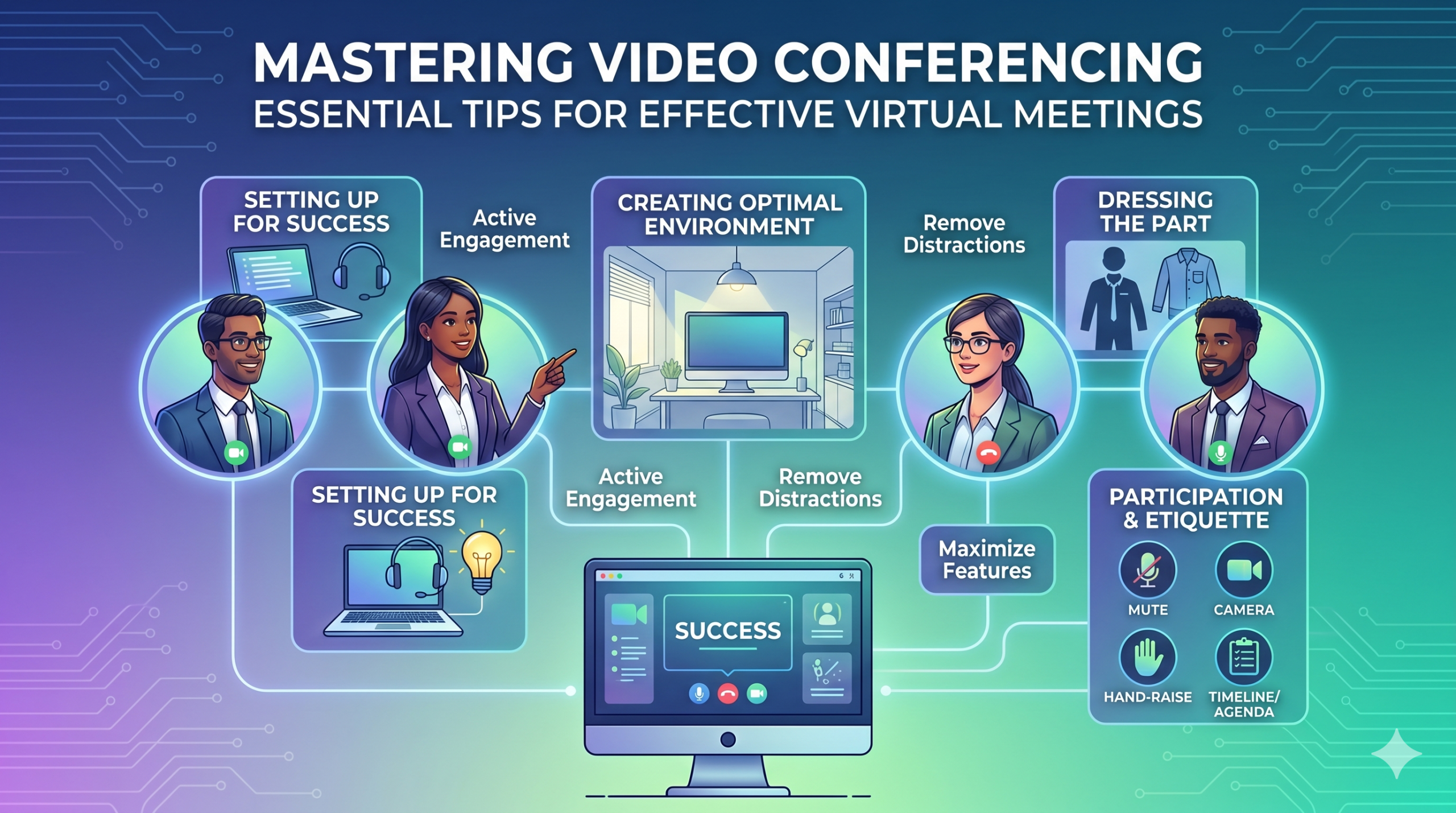
In this article, we’ll share some of the best video conferencing tips to help you achieve more success in your collaborative effects. So read on.
Sagatavošanās panākumiem
Now that so many of us are partaking in video conferences more frequently, making oneself appear and sound professional isn’t always easy when seated in PJs from the waist down.
Mēs, iespējams, visi esam redzējuši un piedalījušies dažos neideālos vai pat apkaunojošos brīžos video konferencēs.
To avoid such situations, here are some video conferencing tips that’ll help you set up for success from the start:
Pareizo rīku izvēle
Pirmais, kas jādara - platforma, ko izvēlaties, var patiešām ietekmēt to, kā jūsu komandas paveic lietas.
Ja izvēlēsieties nepareizo, var rasties problēmas, piemēram, garas, lēnas un sarežģītas sanāksmju iestatīšanas, cilvēki, kuriem ir grūtības pievienoties jūsu pasākumam, nezinot, kas ir ieradies, vai ierobežoti rīki informācijas prezentēšanai un mijiedarbībai.
To make the right call on the tool to use, figure out what’s most important for your team.
Varbūt jums nepieciešama platforma, kas darbojas tieši jūsu tīmekļa pārlūkā, ir ļoti vienkārša uzsākt un tai ir maz sarežģījumu saskarnē. Iespējams, jūs meklējat tāfeles smadzeņu vētrai vai funkciju, kas automātiski ieraksta sanāksmes.
Šeit ir dažas biežākās iezīmes, kuras meklēt efektīvā virtuālā sanāksmju rīkā:
- Viegli lietojams: Tam jābūt vienkāršam visiem lietot, pat tehnoloģiju iesācējiem, kuri nav labi iepazinušies ar programmatūras lietošanu.
- Laba video un skaņas kvalitāte: Neviens nevēlas izplūdušu video vai audio, kas kavējas. Daži rīki labāk apstrādā zemākas Wi-Fi signālus nekā citi.
- Interactive Tools: Tools that help everyone participate and engage – like sending visual reactions, chatting and sharing documents, and more.
- Analītika: Iegūstiet informāciju par savām sanāksmēm, lai tās uzlabotu (laiks, dalībnieku skaits, iesaistes statistika utt.).
- Pārklāj visu, kas jums nepieciešams: Rīkam jādarbojas labi pirms, laikā un pēc sanāksmes attiecībā uz to, ko jūs patiešām vajag.
Papildu padomi efektīvai konferencēšanai
Iespējams, ka jūs saņemsiet sanāksmes ielūgumu labi pirms plānotās sanāksmes. Apmeklējiet vietni vai lejupielādējiet lietotni iepriekš un piesakieties, lai pārliecinātos, ka viss darbojas.
Nesāciet kavēt sapulci tikai tāpēc, ka mēģinājāt atcerēties paroli, lai pieslēgtos, vai pārvietojāties pa virkni "Nepieciešama atļauja" uzvedņu, lai piekļūtu savai kamerai un mikrofons.
Lielākā daļa video konferences vietņu ļauj izveidot testu sapulci, lai novērstu jebkādas problēmas ar jūsu aparatūru, piemēram, uzzināt, ka jūsu tīmekļa kamera nedarbojas vai jūsu mikrofons ir pārāk kluss konferences video laikā.
Izveidojiet optimālu vidi
Jūs varat zināt, kā izskatīties lieliski video zvanos, bet kā ar jūsu video konferences fonu? Tas var daudz pastāstīt par jums, un ne vienmēr labā veidā.
Šeit ir daži vienkārši padomi video konferencei, lai pārliecinātos, ka jūsu vide ir pareizā ziņa profesionālā vidē:
- Get the Lighting Right: Good lighting makes you look professional. Use natural light from a window. Or go for soft and even lighting. Just don’t have too much light behind you.
- Keep the Background Simple: Don’t clutter your background with too many items. Keep it tidy and neutral. You can add a few personal items for a friendly touch.
- Dekorējiet apzināti: Ja jums ir plaukts vai grāmatu skapis fonā, izstādiet balvas vai piezīmes, kas saistītas ar sapulci. Padariet to mērķtiecīgu.
- Izvairieties no durvīm un logiem: Novirziet savu kameru prom no durvīm un logiem, lai novērstu traucējumus un apgaismojuma problēmas.
- Position Your Webcam Right: Place your webcam at eye level, three to eight feet away from you. That’ll help you avoid distortions.
- Create a Permanent Setup: Designate a spot for video calls so you don’t scramble every time. You can use a fabric or paper backdrop for convenience.
- Izmantojiet tīmekļa kameras priekšskatījumu: Pārbaudiet, kā viss izskatās kamerā pirms zvana. Veiciet nepieciešamās korekcijas.
Atcerieties, ja notiek kaut kas negaidīts (piemēram, jūsu mazulis iebrūk), palieciet mierīgi un saglabājiet profesionalitāti—jūsu enerģija arī ietekmē “vidi”, tāpēc koncentrējieties uz to, lai nezaudētu savu mieru.
Prezentācija un iesaistīšanās
Tērps atbilstoši
Piemēroti ģērbieties profesionālām sanāksmēm.
We’ve all had those days when working from home meant staying in pajamas for most of the day. It’s all good if you don’t have any video meetings. But when you do, it’s a big no-no for you and everyone else on the call.
Valdiet darba apģērbu.
You and your team should look the part for virtual meetings, even if it’s casual. You don’t need to wear a suit or a fancy dress but avoid wearing anything you wouldn’t wear at the office. Also, it’s a bit tricky to feel like you’re working when you’re in the same clothes you crashed out in.
You have a choice, though. You can look professional on top and keep comfy sweatpants or leggings on the bottom, out of sight. It’s your call, but being fully dressed might help you keep your head in the game.
Aktīva līdzdalība
Skatieties tieši kamerā.
Many participants make this slip-up—they look at the video screen instead of the camera when talking to someone online. It might feel natural, but it actually makes you seem like you’re not fully engaged.
It can make you look a bit distant and not so professional. And it’s pretty obvious when you’re not all there during a video call.
Domājiet par to šādā veidā: looking right into the camera lens is like looking someone in the eye when talking face-to-face. If someone talking to you in real life looks elsewhere instead of keeping eye contact, you’d think they are not interested in what you’re saying, right?
Looking directly into the camera is one of the basic video meeting etiquette. So, give it a go until you get the hang of it. It’ll make you seem more connected and professional during your virtual meetings.
Also, shut down all the extra apps and tabs you don’t need and turn off those pesky notifications that can distract you and your mates.
Izslēdziet mikrofonu, kad nerunājat.
People can often tune out background noise on their end, but it’s tough to ignore when you’re on the receiving end of the call.
Nobody’s keen to listen to your cat’s meow in the background. And if they do, you might find the meeting topic shifting to “What cat breed is that? She’s gorgeous!”
Unmuted people can be quite distracting and take the meeting off track. So, let’s make a rule: keep yourself muted unless you are about to speak for a better video conference.
Nekad nerunājiet pāri citiem.
Things can get pretty tricky when you have a bunch of people on the same video call. Be patient, and do not jump in while others are talking—it’s rude and against conference call etiquette.
Saglabājiet savus jautājumus līdz beigām, lai ikviens varētu dalīties ar savām domām. Dažas lietas ir vairāk demoralizējošas nekā pastāvīga pārtraukšana un runāšana pāri, īpaši, ja jums ir kaut kas patiešām vērtīgs, ko dalīties.
Iesaistiet attālinātos dalībniekus, izmantojot tehnoloģijas.
Jūs vēlaties, lai dalībnieki jūsu tiešsaistes sanāksmēs justos iekļauti un ērti. Saskaņā ar konferences ziņojumu, two big issues for remote workers during conference calls are not wanting to interrupt others and not seeing everyone’s faces.
Lai padarītu jūsu virtuālo konferenci pieejamāku, uzlabojiet videozvana kvalitāti.
Arī pareizi novietojiet savu mikrofonu un kameru, izmantojiet slēgtos parakstus un nodrošiniet iespēju piezvanīt pa tālruni. Pārliecinieties, ka kopīgotie dokumenti ir viegli redzami visiem dalībniekiem.
Pārvērtiet savus sanāksmju dalībniekus no pasīviem novērotājiem par aktīviem dalībniekiem. Veiciniet radošumu ar balto tāfeli, lēmumu pieņemšanu ar aptaujām, viedokļu izteikšanu čatā un reakciju izteikšanu ar jautriem emocijzīmēm jūsu virtuālajās sanāksmēs.
Etiķete un apsvērumi
Laika pārvaldība
Esiet precīzs – vienmēr ierodieties laikā.
This rule applies to all kinds of meetings—in person, on video, or a mix of both. But it’s one of the must-follow video conference best practices in particular. You see, making those personal connections is tougher through screens. Even though tech helps, it’s pointless if you’re absent. So, be there for your colleagues and respect their time.
Plānojot, ņemiet vērā laika zonas.
Jūs, iespējams, nevarēsiet iekļaut visus katrā virtuālajā sanāksmē, bet jūs varat pārliecināties, ka ikvienam ir iespēja pievienoties dažām.
One of the tips for video conferencing to consider is to just think about when people are usually busy with their work, where they’re located, and what time zone they’re in. Then, plan your meetings to fit around these factors so that everyone can be a part of it.
Nosūtiet darba kārtību pirms sanāksmes.
Keep things simple and clear when you’re getting ready for a meeting. Ensure you’ve got a clear idea of what you want to achieve, and share the plan with your team in advance. This allows everyone to think about what they want to say or ask, setting the foundation for a successful video conference.
Lai paliktu organizēti, iekļaujiet grafiku savā sanāksmes darba kārtībā. Tas palīdz jums palikt uz pareizā ceļa un neiziet no tēmas. Piešķiriet kādu laiku, lai sāktu sanāksmi ar nelielu draudzīgu sarunu - tas palīdz veidot pozitīvu atmosfēru.
Palikt bez traucējumiem
Noņemiet potenciālos traucējumus no savas vides.
When you’re right in the thick of a busy workday, you might feel like having a go at doing other things during a video call. But humans aren’t that great at multitasking—only about 2,5% cilvēku to var izdarīt.
Mēģinot darīt pārāk daudz vienlaikus, jūs varat justies stresā un zaudēt fokusu. Turklāt tas var būt diezgan novērstošs jūsu kolēģiem zvana laikā. Tātad, šeit ir video konferences protokoli, kurus ievērot:
- Aizveriet visus citus darbus savā datorā.
- Novietojiet video zvanu un tīmekļa kameru tieši priekšā, ja jums ir vairāki ekrāni.
- Izslēdziet paziņojumus savā datorā un telefonā.
- Pretojieties vēlmei pārbaudīt sociālos medijus zvana laikā.
- If you’re working from home with the family around, give them a heads up that you’re on a call so they don’t come barging in.
Vienmēr pievērsiet pilnu uzmanību sanāksmei.
Avoid the urge to check emails or tinker with your PowerPoint during video calls; it’s just not good video conference etiquette. Similar to face-to-face meetings, showing respect to your colleagues by giving them your full attention is necessary.
Here’s one of the top video conferencing tips: If you wouldn’t do a particular action in person, don’t do it during a virtual meet-up.
Secinājums: Maksimizējot video konferences funkcijas
Komandas darbs nozīmē strādāt kopā, apspriest svarīgas lietas un tiekties uz labiem rezultātiem. Virtuālām sapulcēm jābūt tieši tādām.
Check out your virtual meeting tool’s reports to see how people got involved and what they liked best. You’ve hit the jackpot if the reports say that participants were all about the polls, questions, upvotes, and chats.
Use video tools to get your team chatting, steer them toward group goals, and ensure everyone has a positive vibe. That’s one of the top-secret tips for video conferencing.