
Augmenteu els vostres seminaris web: convertint BigBlueButton en una solució de seminaris web eficaç
El sistema de conferències web de codi obert BigBlueButton és àmpliament utilitzat per escoles, col·legis, universitats i per professors privats de tot el món per organitzar classes en línia i videoconferències. Però, què passa si necessiteu organitzar un seminari web, on sou l'únic presentador i tots els altres s'uneixen com a espectadors? BigBlueButton també permet fer seminaris web! En aquesta publicació us mostraré com convertir el sistema BigBlueButton en una plataforma de seminaris web.
To turn BigBlueButton into a webinar system a moderator should make a simple fix – he should restrict users from sharing webcams and microphones and allow them to join as viewers only.
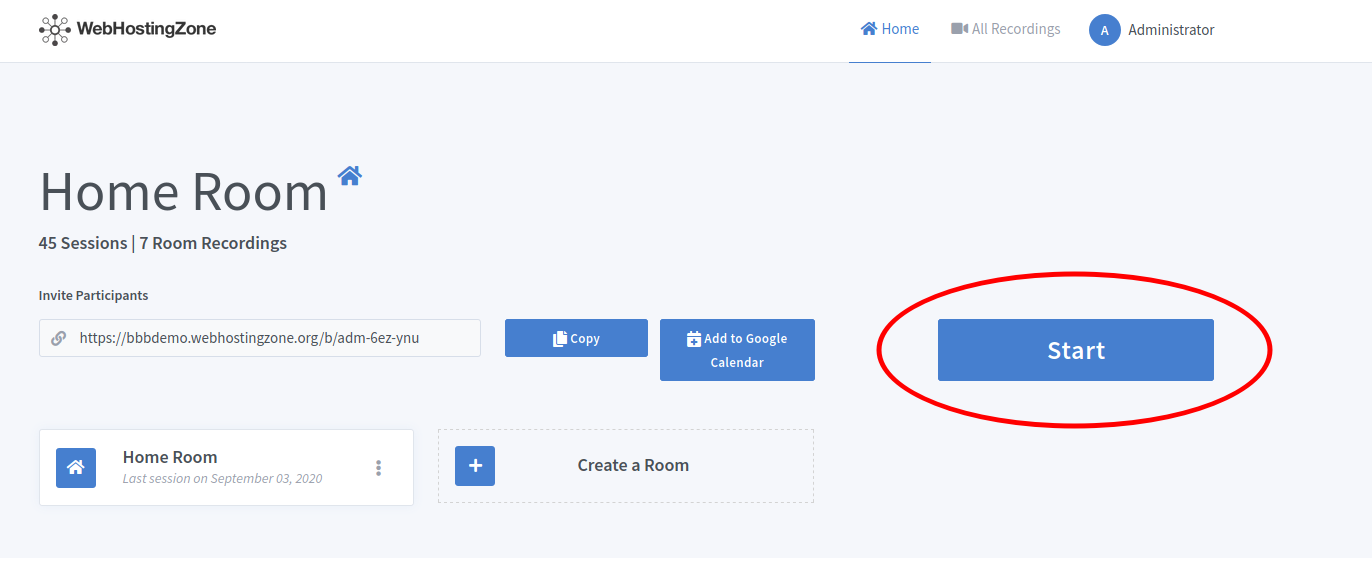
- Des de dins del tauler de control de Greenlight, el moderador inicia una reunió.
- Then click on the gear icon in the left column and after click “Lock viewers” link.
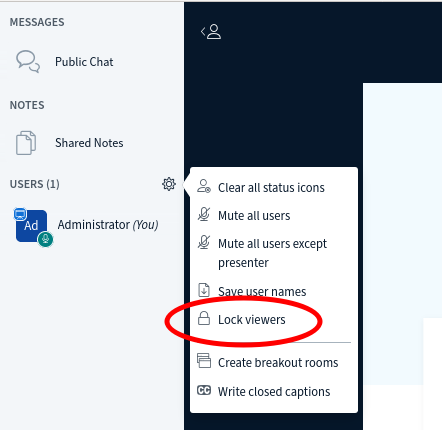
- A pop-up will appear. Lock the following features there: “share webcam”, “see other viewers webcams”, “share microphone” and optionally also lock “send Private chat messages”, “Edit Shared Notes”.
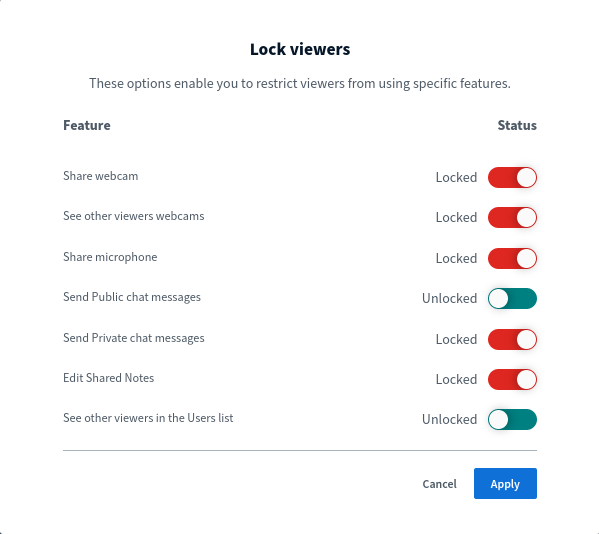
- Click on the “Apply” button in order to save changes.
Ara podeu convidar usuaris al seminari web enviant-los un enllaç d'unió. Els usuaris s'uniran a una reunió en mode de seminari web (mode només visualització). Depenent de Maquinari BigBlueButton utilitzat, podeu executar seminaris web amb 100, 200, 500 i fins i tot 1000 espectadors!
Etiqueta:
allotjament web