
En este artículo, le mostraré cómo instalar GIT en un servidor o computadora Ubuntu.
Existe la posibilidad de que ya tengas GIT preinstalado. Entonces, antes de intentar instalar Git en Ubuntu, asegúrese de que no esté instalado ya. Abra la terminal y escriba:
$ git --version
git version 2.34.1
Si el resultado muestra la versión de git, entonces tienes suerte y git ya está instalado en tu máquina Ubuntu. ¡Puedes comenzar a usar git!
Instalación de git a través de APT
If command “git –version” shows error “Command ‘git’ not found” then you need to install git. Use APT package manager to perform the installation.
$ sudo apt install git

The following NEW packages will be installed: git
After this operation, 18,9 MB of additional disk space will be used.
Get:1 http://ua.archive.ubuntu.com/ubuntu jammy-updates/main amd64 git amd64 1:2.34.1-1ubuntu1.10 [3 166 kB]
Fetched 3 166 kB in 1s (4 297 kB/s)
Selecting previously unselected package git.
(Reading database ... 402237 files and directories currently installed.)
Preparing to unpack .../git_1%3a2.34.1-1ubuntu1.10_amd64.deb ...
Unpacking git (1:2.34.1-1ubuntu1.10) ...
Setting up git (1:2.34.1-1ubuntu1.10) ...
Comprobemos que el paquete git esté instalado correctamente.
$ git --version
git version 2.34.1
That’s it. You can start using git. Did you expect more steps?
Suggested packages – which do you need?
Se sugieren paquetes adicionales para instalar: git-daemon-run, git-daemon-sysvinit git-doc git-email git-gui gitk gitweb git-cvs git-mediawiki git-svn. ¿Qué proporcionan?
¿Qué es git-daemon-run?
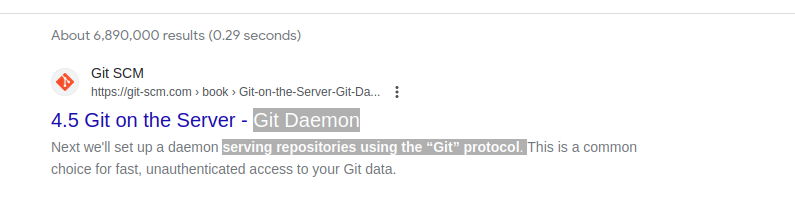
Una búsqueda rápida en Google sobre git-daemon-run revela que es posible demonizar a git para ejecutar su propio servidor Git. Si desea que sus repositorios Git locales sean accesibles a través de la red para colaborar, entonces git-daemon podría resultarle útil.
You do not need a Git daemon if you don’t plan to run own Git server. And if you plan to run own Git server – there are better options than a git-daemon, such as gitolita, gitea o similar.
¿Qué es git-doc?
Consultemos el repositorio para obtener información sobre el paquete:
$ sudo apt show git-doc
Package: git-doc
Version: 1:2.34.1-1ubuntu1.10
Priority: optional
... omitting lines with info about developers ...

This package provides the documentation
As you can see git-doc package provides documentation. You don’t need to install it since all the documentación git que pueda necesitar está disponible en línea.
¿Qué es el paquete de correo electrónico git?
Lets run the same “apt show” trick with the git-email package.
$ sudo apt show git-email
Package: git-email
Version: 1:2.34.1-1ubuntu1.10
Priority: optional
This package provides the git-send-email program for sending series of
patch emails.
En algunos casos puede resultar útil enviar parches por correo electrónico. Entonces, si está desarrollando y utilizando GIT activamente, este paquete puede resultarle útil.
You don’t need extra packages to use GIT
Una vez que git esté instalado, continúa y comienza a usarlo. No hay mejor manera de aprender git que practicando. ¡Cree un repositorio vacío o clone el repositorio existente desde Github y comience a codificar!
El siguiente comando iniciará un repositorio Git en el directorio actual.
$ git init
Initialized empty Git repository in /home/gitproject/.git/
And to clone an existing repository from Github use “git clone REPO_URL” command. For example:
$ git clone https://github.com/EugeneWHZ/canvaslms-ansible-installation.git
Cloning into 'canvaslms-ansible-installation'...
remote: Enumerating objects: 66, done.
remote: Total 66 (delta 0), reused 0 (delta 0), pack-reused 66
Receiving objects: 100% (66/66), 13.81 KiB | 589.00 KiB/s, done.
Resolving deltas: 100% (10/10), done.
Conclusion: use version control, it’s easy!
Instala Git y agrega control de versiones a tu vida. Te lo agradecerás más tarde.