
이 기사에서는 Ubuntu 서버 또는 컴퓨터에 GIT를 설치하는 방법을 설명합니다.
이미 GIT가 사전 설치되어 있을 가능성이 있습니다. 따라서 Ubuntu에 Git을 설치하기 전에 이미 설치되어 있지 않은지 확인하십시오. 터미널을 열고 다음을 입력하세요.
$ git --version
git version 2.34.1
출력에 git 버전이 표시되면 운이 좋으며 Ubuntu 시스템에 git이 이미 설치되어 있는 것입니다. Git 사용을 시작할 수 있습니다!
APT를 통해 Git 설치
If command “git –version” shows error “Command ‘git’ not found” then you need to install git. Use APT package manager to perform the installation.
$ sudo apt install git

The following NEW packages will be installed: git
After this operation, 18,9 MB of additional disk space will be used.
Get:1 http://ua.archive.ubuntu.com/ubuntu jammy-updates/main amd64 git amd64 1:2.34.1-1ubuntu1.10 [3 166 kB]
Fetched 3 166 kB in 1s (4 297 kB/s)
Selecting previously unselected package git.
(Reading database ... 402237 files and directories currently installed.)
Preparing to unpack .../git_1%3a2.34.1-1ubuntu1.10_amd64.deb ...
Unpacking git (1:2.34.1-1ubuntu1.10) ...
Setting up git (1:2.34.1-1ubuntu1.10) ...
git 패키지가 제대로 설치되었는지 확인해 보겠습니다.
$ git --version
git version 2.34.1
That’s it. You can start using git. Did you expect more steps?
Suggested packages – which do you need?
설치를 위해 제안된 추가 패키지가 있습니다: git-daemon-run, git-daemon-sysvinit git-doc git-email git-gui gitk gitweb git-cvs git-mediawiki git-svn. 그들은 무엇을 제공합니까?
git-daemon-run이 무엇인가요?
git-daemon-run에 대한 빠른 Google 검색을 통해 자체 Git 서버를 실행하기 위해 git을 악마화할 수 있음이 밝혀졌습니다. 협업을 위해 네트워크를 통해 로컬 Git 저장소에 액세스할 수 있도록 하려면 git-daemon이 유용할 수 있습니다.
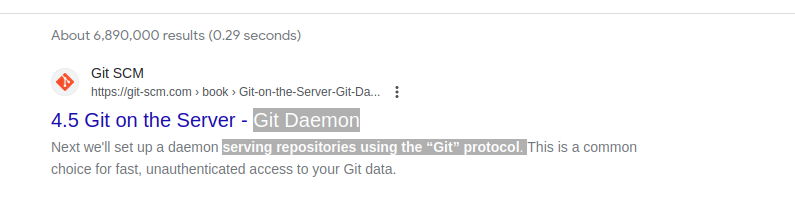
You do not need a Git daemon if you don’t plan to run own Git server. And if you plan to run own Git server – there are better options than a git-daemon, such as 지톨라이트, 기테아 또는 비슷한.
git-doc 란 무엇입니까?
패키지에 대한 정보를 저장소에 쿼리해 보겠습니다.
$ sudo apt show git-doc
Package: git-doc
Version: 1:2.34.1-1ubuntu1.10
Priority: optional
... omitting lines with info about developers ...

This package provides the documentation
As you can see git-doc package provides documentation. You don’t need to install it since all the 자식 문서 필요한 경우 온라인으로 이용할 수 있습니다.
git-email 패키지 란 무엇입니까?
Lets run the same “apt show” trick with the git-email package.
$ sudo apt show git-email
Package: git-email
Version: 1:2.34.1-1ubuntu1.10
Priority: optional
This package provides the git-send-email program for sending series of
patch emails.
어떤 경우에는 패치를 이메일로 보내는 것이 유용할 수 있습니다. 따라서 GIT를 적극적으로 개발하고 사용하고 있다면 이 패키지가 유용할 수 있습니다.
You don’t need extra packages to use GIT
git이 설치되면 계속해서 사용해 보세요. 연습하는 것보다 git을 배우는 더 좋은 방법은 없습니다. 빈 저장소를 생성하거나 Github에서 기존 저장소를 복제하고 코딩을 시작하세요!
아래 명령은 현재 디렉터리에서 Git 저장소를 시작합니다.
$ git init
Initialized empty Git repository in /home/gitproject/.git/
And to clone an existing repository from Github use “git clone REPO_URL” command. For example:
$ git clone https://github.com/EugeneWHZ/canvaslms-ansible-installation.git
Cloning into 'canvaslms-ansible-installation'...
remote: Enumerating objects: 66, done.
remote: Total 66 (delta 0), reused 0 (delta 0), pack-reused 66
Receiving objects: 100% (66/66), 13.81 KiB | 589.00 KiB/s, done.
Resolving deltas: 100% (10/10), done.
Conclusion: use version control, it’s easy!
Git을 설치하고 생활에 버전 제어를 추가하세요. 나중에 그것에 대해 감사하게 될 것입니다.