
En aquest article us mostraré com instal·lar GIT al servidor o a l'ordinador Ubuntu.
Hi ha la possibilitat que ja tingueu GIT preinstal·lat. Així, abans d'intentar instal·lar Git a Ubuntu, assegureu-vos que encara no estigui instal·lat. Obre el terminal i escriviu:
$ git --version
git version 2.34.1
Si la sortida mostra la versió de git, tens sort i git ja està instal·lat a la teva màquina Ubuntu. Podeu començar a utilitzar git!
Instal·lant git mitjançant APT
If command “git –version” shows error “Command ‘git’ not found” then you need to install git. Use APT package manager to perform the installation.
$ sudo apt install git

The following NEW packages will be installed: git
After this operation, 18,9 MB of additional disk space will be used.
Get:1 http://ua.archive.ubuntu.com/ubuntu jammy-updates/main amd64 git amd64 1:2.34.1-1ubuntu1.10 [3 166 kB]
Fetched 3 166 kB in 1s (4 297 kB/s)
Selecting previously unselected package git.
(Reading database ... 402237 files and directories currently installed.)
Preparing to unpack .../git_1%3a2.34.1-1ubuntu1.10_amd64.deb ...
Unpacking git (1:2.34.1-1ubuntu1.10) ...
Setting up git (1:2.34.1-1ubuntu1.10) ...
Comprovem que el paquet git estigui instal·lat correctament.
$ git --version
git version 2.34.1
That’s it. You can start using git. Did you expect more steps?
Suggested packages – which do you need?
Hi ha paquets addicionals suggerits per a la instal·lació: git-daemon-run, git-daemon-sysvinit git-doc git-email git-gui gitk gitweb git-cvs git-mediawiki git-svn. Què aporten
Què és git-daemon-run
Una cerca ràpida a Google a git-daemon-run revela que és possible demonitzar git per executar el propi servidor Git. Si voleu que els vostres dipòsits Git locals siguin accessibles a través de la xarxa per a la col·laboració, git-daemon us pot ser útil.
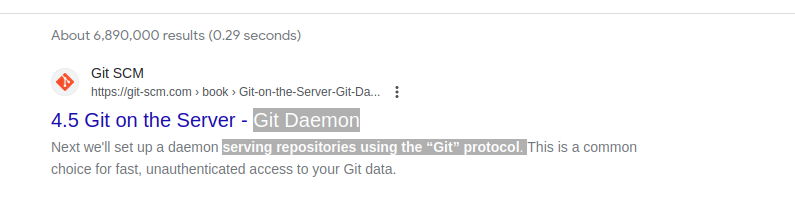
You do not need a Git daemon if you don’t plan to run own Git server. And if you plan to run own Git server – there are better options than a git-daemon, such as Gitolita, gitea o semblants.
Què és git-doc
Permet consultar al repositori informació sobre el paquet:
$ sudo apt show git-doc
Package: git-doc
Version: 1:2.34.1-1ubuntu1.10
Priority: optional
... omitting lines with info about developers ...

This package provides the documentation
As you can see git-doc package provides documentation. You don’t need to install it since all the documentació git que potser necessiteu està disponible en línia.
Què és el paquet git-email
Lets run the same “apt show” trick with the git-email package.
$ sudo apt show git-email
Package: git-email
Version: 1:2.34.1-1ubuntu1.10
Priority: optional
This package provides the git-send-email program for sending series of
patch emails.
En alguns casos pot ser útil enviar pedaços com a correus electrònics. Per tant, si esteu desenvolupant i utilitzant GIT activament, aquest paquet pot ser útil.
You don’t need extra packages to use GIT
Un cop instal·lat git, seguiu endavant i comenceu a utilitzar-lo. No hi ha millor manera d'aprendre git que practicant. Creeu un dipòsit buit o cloneu el dipòsit existent des de Github i comenceu a codificar!
L'ordre següent iniciarà un repositori Git al directori actual.
$ git init
Initialized empty Git repository in /home/gitproject/.git/
And to clone an existing repository from Github use “git clone REPO_URL” command. For example:
$ git clone https://github.com/EugeneWHZ/canvaslms-ansible-installation.git
Cloning into 'canvaslms-ansible-installation'...
remote: Enumerating objects: 66, done.
remote: Total 66 (delta 0), reused 0 (delta 0), pack-reused 66
Receiving objects: 100% (66/66), 13.81 KiB | 589.00 KiB/s, done.
Resolving deltas: 100% (10/10), done.
Conclusion: use version control, it’s easy!
Instal·leu Git i afegiu el control de versions a la vostra vida. T'ho agrairàs més endavant.