
Tekniken har förändrat hur företag fungerar snabbt, och det ser inte ut som att det kommer att sakta ner när som helst snart. Kommunikation, drift och arbetsflöde har alla förbättrats, vilket gör det lättare att arbeta tillsammans, oavsett var företaget eller de anställda befinner sig.
Nu är distansarbete inte bara en förmån utan en ny norm, vilket gör virtuella möten till en nödvändighet.
Här är ett intressant faktum: Nästan 96 % av de anställda sa videosamtal hjälper deras avlägsna team att känna sig mer anslutna.
In virtual meetings, employees are supposed to share thoughts, talk about relevant topics, and solve problems as a team. But more often than not, things don’t go as planned.
People start to tune out, conversations go off track, meetings go over time, and some participants aren’t engaged. The result? We’re left with a lot of room for improvement for virtual meetings to be truly productive and effective.
On the flip side, when meetings go well, there’s a positive vibe in the team, everyone understands their expectations and responsibilities, and productivity and efficiency increase.
That’s what the goal of a great video conference is, every time.
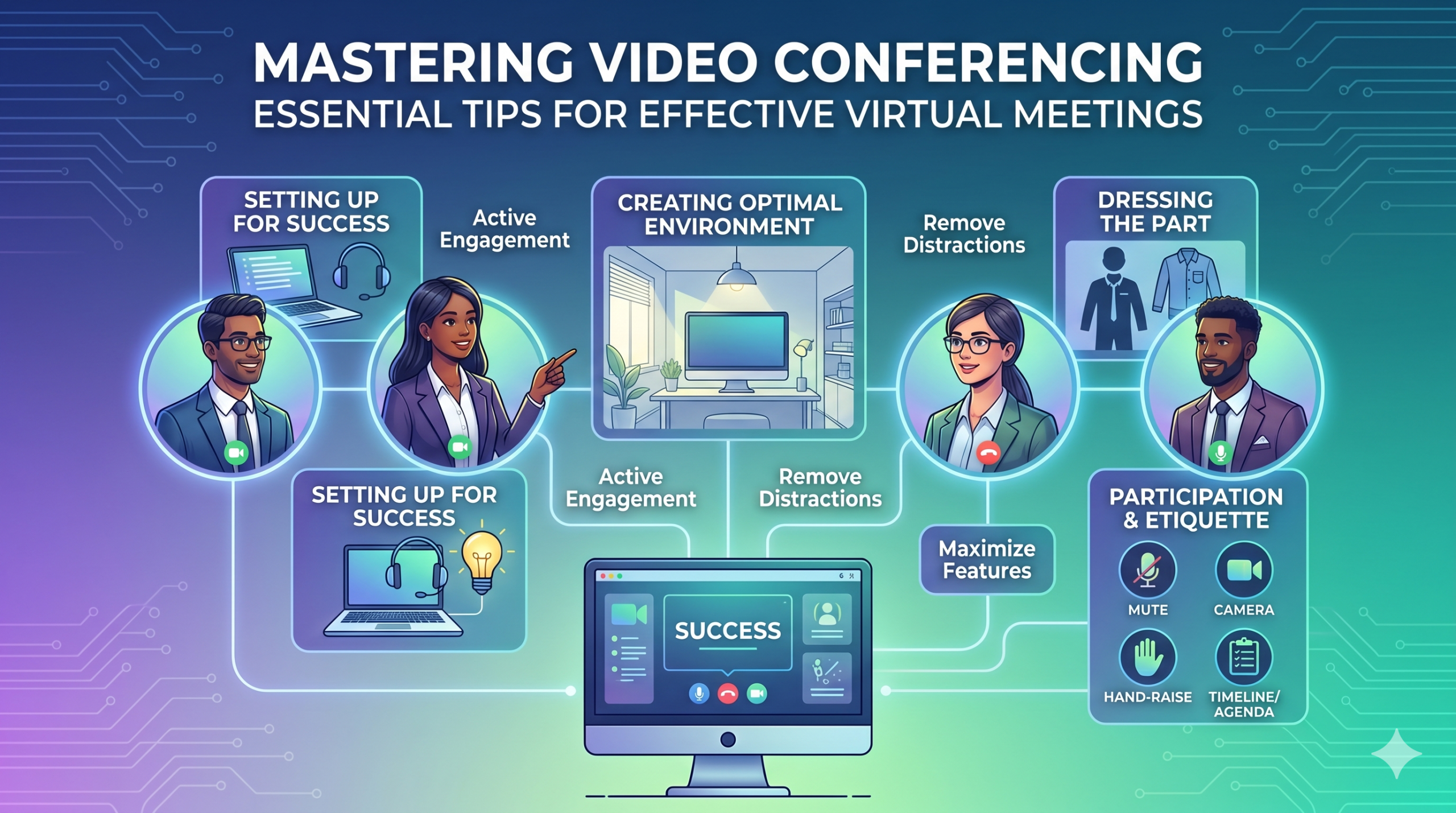
In this article, we’ll share some of the best video conferencing tips to help you achieve more success in your collaborative effects. So read on.
Ställa in för framgång
Now that so many of us are partaking in video conferences more frequently, making oneself appear and sound professional isn’t always easy when seated in PJs from the waist down.
Vi har förmodligen alla sett och bidragit till några mindre än idealiska eller till och med pinsamma ögonblick under en konferensvideo.
To avoid such situations, here are some video conferencing tips that’ll help you set up for success from the start:
Att välja rätt verktyg
Först till kvarn – plattformen du väljer kan verkligen göra skillnad i hur dina team får saker gjorda.
Om du väljer fel kan du stöta på problem som långa, långsamma och komplexa inställningar för möten, människor som kämpar för att gå med i ditt evenemang, inte vet vem som dök upp eller har begränsade verktyg för att presentera information och interagera.
To make the right call on the tool to use, figure out what’s most important for your team.
Kanske behöver du en plattform som fungerar direkt i din webbläsare, är superenkel att lansera och har lite komplexitet i gränssnittet. Kanske letar du efter whiteboardtavlor för brainstorming eller en funktion som spelar in möten automatiskt.
Här är några vanligare funktioner att leta efter i ett effektivt virtuellt mötesverktyg:
- Lätt att använda: Det bör vara enkelt för alla att använda – även för nybörjare som inte är väl insatta i mjukvaruanvändning.
- Video och ljud av bra kvalitet: Ingen vill ha suddig video eller ljud som släpar efter. Vissa verktyg hanterar lägre Wi-Fi-signaler bättre än andra.
- Interactive Tools: Tools that help everyone participate and engage – like sending visual reactions, chatting and sharing documents, and more.
- Analys: Få information om dina möten för att förbättra dem (tid, deltagarstorlek, engagemangsstatistik, etc.).
- Täcker allt du behöver: Verktyget ska fungera bra före, under och efter mötet för det du faktiskt behöver.
Extra tips för effektiv konferens
Oddsen är att du kommer att få en mötesinbjudan i god tid före ditt planerade möte. Gå till webbplatsen eller ladda ner appen i förväg och logga in för att säkerställa att allt fungerar.
Kom inte för sent till mötet bara för att du försökte komma ihåg ett lösenord för att logga in eller navigera ett gäng "Tillstånd behövs" för att komma åt din kamera och mikrofon.
De flesta videokonferenssajter låter dig skapa ett testmöte för att få bort eventuella veck i din hårdvara, som att ta reda på att din webbkamera inte fungerar eller att din mikrofon är för tyst under konferensvideon.
Skapa en optimal miljö
Du kanske vet hur man ser bra ut på videosamtal, men hur är det med din videokonferensbakgrund? Det kan säga mycket om dig, och inte alltid på ett bra sätt.
Här är några enkla tips för videokonferenser för att se till att din miljö skickar rätt budskap i en professionell miljö:
- Get the Lighting Right: Good lighting makes you look professional. Use natural light from a window. Or go for soft and even lighting. Just don’t have too much light behind you.
- Keep the Background Simple: Don’t clutter your background with too many items. Keep it tidy and neutral. You can add a few personal items for a friendly touch.
- Dekorera avsiktligt: Om du har en hylla eller bokhylla i bakgrunden, visa utmärkelser eller anteckningar relaterade till mötet. Gör det målmedvetet.
- Undvik dörrar och fönster: Rikta kameran bort från dörrar och fönster för att förhindra distraktioner och belysningsproblem.
- Position Your Webcam Right: Place your webcam at eye level, three to eight feet away from you. That’ll help you avoid distortions.
- Create a Permanent Setup: Designate a spot for video calls so you don’t scramble every time. You can use a fabric or paper backdrop for convenience.
- Använd webbkameraförhandsgranskning: Kontrollera hur allt ser ut på kameran innan ditt samtal. Gör justeringar efter behov.
Kom ihåg att om något oväntat händer (som att ditt barn kommer in), behåll lugnet och behåll professionalismen – din energi bidrar också till "miljön", så fokusera på att inte tappa lugnet.
Presentation och engagemang
Att klä delen
Klä dig ordentligt för professionella möten.
We’ve all had those days when working from home meant staying in pajamas for most of the day. It’s all good if you don’t have any video meetings. But when you do, it’s a big no-no for you and everyone else on the call.
Bär arbetskläder.
You and your team should look the part for virtual meetings, even if it’s casual. You don’t need to wear a suit or a fancy dress but avoid wearing anything you wouldn’t wear at the office. Also, it’s a bit tricky to feel like you’re working when you’re in the same clothes you crashed out in.
You have a choice, though. You can look professional on top and keep comfy sweatpants or leggings on the bottom, out of sight. It’s your call, but being fully dressed might help you keep your head in the game.
Aktivt deltagande
Titta direkt in i kameran.
Many participants make this slip-up—they look at the video screen instead of the camera when talking to someone online. It might feel natural, but it actually makes you seem like you’re not fully engaged.
It can make you look a bit distant and not so professional. And it’s pretty obvious when you’re not all there during a video call.
Tänk på det så här: looking right into the camera lens is like looking someone in the eye when talking face-to-face. If someone talking to you in real life looks elsewhere instead of keeping eye contact, you’d think they are not interested in what you’re saying, right?
Looking directly into the camera is one of the basic video meeting etiquette. So, give it a go until you get the hang of it. It’ll make you seem more connected and professional during your virtual meetings.
Also, shut down all the extra apps and tabs you don’t need and turn off those pesky notifications that can distract you and your mates.
Stäng av dig själv när du inte pratar.
People can often tune out background noise on their end, but it’s tough to ignore when you’re on the receiving end of the call.
Nobody’s keen to listen to your cat’s meow in the background. And if they do, you might find the meeting topic shifting to “What cat breed is that? She’s gorgeous!”
Unmuted people can be quite distracting and take the meeting off track. So, let’s make a rule: keep yourself muted unless you are about to speak for a better video conference.
Tala aldrig om andra.
Things can get pretty tricky when you have a bunch of people on the same video call. Be patient, and do not jump in while others are talking—it’s rude and against conference call etiquette.
Spara dina frågor till slutet så att alla får chansen att dela med sig av sina tankar. Få saker är mer nedslående än att ständigt bli avbruten och omtalad, speciellt när du har något verkligt värdefullt att dela med dig av
Engagera fjärrdeltagare med hjälp av teknik.
Du vill att deltagare i dina onlinemöten ska känna sig inkluderade och bekväma. Enligt en konferens rapportera, two big issues for remote workers during conference calls are not wanting to interrupt others and not seeing everyone’s faces.
För att göra din virtuella konferens mer tillgänglig, förbättra videosamtalskvaliteten.
Placera också mikrofonen och kameran på rätt sätt, använd textning och tillhandahåll ett telefonuppringningsalternativ. Se till att delade dokument är lätta att se för alla deltagare.
Förvandla dina mötesdeltagare från passiva observatörer till aktiva deltagare. Uppmuntra kreativitet med whiteboards, beslutsfattande med omröstningar, dela åsikter via chatt och uttrycka reaktioner med roliga emojis i dina virtuella möten
Etikett och överväganden
Tidshantering
Var punktlig – kom alltid i tid.
This rule applies to all kinds of meetings—in person, on video, or a mix of both. But it’s one of the must-follow video conference best practices in particular. You see, making those personal connections is tougher through screens. Even though tech helps, it’s pointless if you’re absent. So, be there for your colleagues and respect their time.
Tänk på tidszoner när du schemalägger.
Du kanske inte kan inkludera alla i varje virtuellt möte, men du kan se till att alla får en chans att gå med i några.
One of the tips for video conferencing to consider is to just think about when people are usually busy with their work, where they’re located, and what time zone they’re in. Then, plan your meetings to fit around these factors so that everyone can be a part of it.
Skicka ut en dagordning innan mötet.
Keep things simple and clear when you’re getting ready for a meeting. Ensure you’ve got a clear idea of what you want to achieve, and share the plan with your team in advance. This allows everyone to think about what they want to say or ask, setting the foundation for a successful video conference.
För att hålla ordning, inkludera ett schema i din mötesdagordning. Detta hjälper dig att hålla dig på rätt spår och inte gå iväg på tangenter. Avsätt lite tid för att starta mötet med lite vänlig pratstund – det hjälper till att skapa en positiv atmosfär.
Håll dig distraktionsfri
Ta bort potentiella distraktioner från din miljö.
When you’re right in the thick of a busy workday, you might feel like having a go at doing other things during a video call. But humans aren’t that great at multitasking—only about 2,5 % av människorna klarar av det.
Att försöka göra för mycket på en gång kan få dig att känna dig stressad och tappa fokus. Dessutom kan det vara ganska distraherande för dina lagkamrater på samtalet. Så här är videokonferensprotokoll att följa:
- Stäng allt annat arbete på din dator.
- Placera videosamtalet och webbkameran precis framför dig om du har flera skärmar.
- Tysta dessa aviseringar på din dator och telefon.
- Motstå lusten att kolla in sociala medier under samtalet.
- If you’re working from home with the family around, give them a heads up that you’re on a call so they don’t come barging in.
Var alltid uppmärksam på mötet.
Avoid the urge to check emails or tinker with your PowerPoint during video calls; it’s just not good video conference etiquette. Similar to face-to-face meetings, showing respect to your colleagues by giving them your full attention is necessary.
Here’s one of the top video conferencing tips: If you wouldn’t do a particular action in person, don’t do it during a virtual meet-up.
Slutsats: Maximera videokonferensfunktioner
Lagarbete innebär att arbeta tillsammans, diskutera viktiga saker och sträva efter goda resultat. Virtuella möten ska vara precis så.
Check out your virtual meeting tool’s reports to see how people got involved and what they liked best. You’ve hit the jackpot if the reports say that participants were all about the polls, questions, upvotes, and chats.
Use video tools to get your team chatting, steer them toward group goals, and ensure everyone has a positive vibe. That’s one of the top-secret tips for video conferencing.