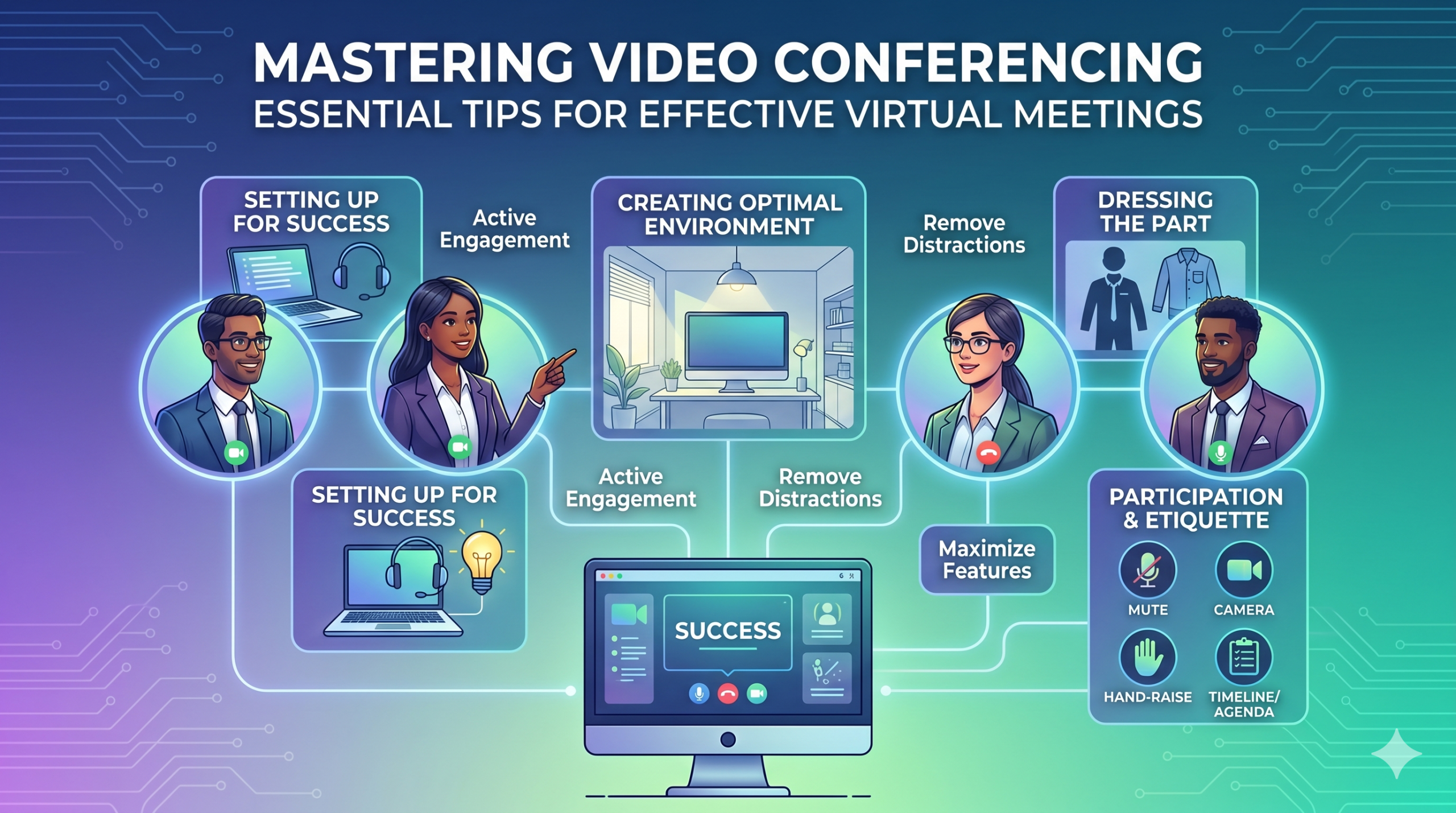

เทคโนโลยีได้เปลี่ยนแปลงวิธีการดำเนินธุรกิจอย่างรวดเร็ว และดูเหมือนว่าจะไม่ชะลอตัวลงในเร็วๆ นี้ การสื่อสาร การดำเนินงาน และขั้นตอนการทำงานได้รับการปรับปรุงทั้งหมด ทำให้ง่ายต่อการทำงานร่วมกัน ไม่ว่าบริษัทหรือพนักงานจะอยู่ที่ใดก็ตาม
ตอนนี้ การทำงานจากระยะไกลไม่ได้เป็นเพียงข้อดี แต่เป็นบรรทัดฐานใหม่ ทำให้การประชุมเสมือนจริงมีความจำเป็น
นี่เป็นข้อเท็จจริงที่น่าสนใจ: เกือบ 96% ของพนักงาน การสนทนาทางวิดีโอช่วยให้ทีมที่อยู่ห่างไกลรู้สึกเชื่อมโยงกันมากขึ้น
In virtual meetings, employees are supposed to share thoughts, talk about relevant topics, and solve problems as a team. But more often than not, things don’t go as planned.
People start to tune out, conversations go off track, meetings go over time, and some participants aren’t engaged. The result? We’re left with a lot of room for improvement for virtual meetings to be truly productive and effective.
On the flip side, when meetings go well, there’s a positive vibe in the team, everyone understands their expectations and responsibilities, and productivity and efficiency increase.
That’s what the goal of a great video conference is, every time.
In this article, we’ll share some of the best video conferencing tips to help you achieve more success in your collaborative effects. So read on.
การตั้งค่าเพื่อความสำเร็จ
Now that so many of us are partaking in video conferences more frequently, making oneself appear and sound professional isn’t always easy when seated in PJs from the waist down.
เราทุกคนคงเคยเห็นและมีส่วนร่วมในช่วงเวลาที่ไม่เหมาะ หรือแม้แต่น่าอับอายในระหว่างการประชุมทางวิดีโอ
To avoid such situations, here are some video conferencing tips that’ll help you set up for success from the start:
การเลือกเครื่องมือที่เหมาะสม
สิ่งแรกสุดคือแพลตฟอร์มที่คุณเลือกสามารถสร้างความแตกต่างให้กับวิธีที่ทีมของคุณทำสิ่งต่าง ๆ ให้สำเร็จได้
หากคุณเลือกผิดวิธี คุณอาจประสบปัญหา เช่น การตั้งค่าการประชุมที่ยาว ช้า และซับซ้อน ผู้คนประสบปัญหาในการเข้าร่วมกิจกรรมของคุณ ไม่รู้ว่าใครมาปรากฏตัว หรือมีเครื่องมือที่จำกัดในการนำเสนอข้อมูลและโต้ตอบ
To make the right call on the tool to use, figure out what’s most important for your team.
บางทีคุณอาจต้องการแพลตฟอร์มที่ทำงานได้ทันทีบนเว็บเบราว์เซอร์ของคุณ เปิดใช้งานง่ายมาก และมีความซับซ้อนเพียงเล็กน้อยในอินเทอร์เฟซ บางทีคุณอาจกำลังมองหาไวท์บอร์ดสำหรับการระดมความคิดหรือฟังก์ชันที่บันทึกการประชุมโดยอัตโนมัติ
ต่อไปนี้เป็นคุณลักษณะทั่วไปที่ควรมองหาในเครื่องมือการประชุมเสมือนที่มีประสิทธิภาพ:
- ใช้งานง่าย: ควรเป็นเรื่องง่ายสำหรับทุกคนที่จะใช้ แม้กระทั่งสำหรับมือใหม่ด้านเทคโนโลยีที่ไม่เชี่ยวชาญด้านการใช้ซอฟต์แวร์ก็ตาม
- วิดีโอและเสียงคุณภาพดี: ไม่มีใครต้องการวิดีโอหรือเสียงที่ไม่ชัดเจนที่ล่าช้า เครื่องมือบางอย่างจัดการสัญญาณ Wi-Fi ที่ต่ำกว่าได้ดีกว่าเครื่องมืออื่นๆ
- Interactive Tools: Tools that help everyone participate and engage – like sending visual reactions, chatting and sharing documents, and more.
- การวิเคราะห์: รับข้อมูลเกี่ยวกับการประชุมของคุณเพื่อปรับปรุง (เวลา ขนาดผู้เข้าร่วม สถิติการมีส่วนร่วม ฯลฯ)
- ครอบคลุมทุกสิ่งที่คุณต้องการ: เครื่องมือควรทำงานได้ดีทั้งก่อน ระหว่าง และหลังการประชุม ในสิ่งที่คุณต้องการจริงๆ
เคล็ดลับพิเศษเพื่อการประชุมที่มีประสิทธิภาพ
เป็นไปได้ว่าคุณจะได้รับคำเชิญเข้าร่วมประชุมก่อนการประชุมตามกำหนดการของคุณ ไปที่เว็บไซต์หรือดาวน์โหลดแอปล่วงหน้าแล้วเข้าสู่ระบบเพื่อให้แน่ใจว่าทุกอย่างใช้งานได้
อย่าไปสายสำหรับการประชุมเพียงเพราะคุณพยายามจำรหัสผ่านเพื่อเข้าสู่ระบบหรือไปที่ข้อความเตือน "ต้องได้รับอนุญาต" เพื่อเข้าถึงกล้องและไมโครโฟนของคุณ
ไซต์การประชุมทางวิดีโอส่วนใหญ่อนุญาตให้คุณสร้างการประชุมทดสอบเพื่อแก้ไขข้อบกพร่องในฮาร์ดแวร์ของคุณ เช่น การค้นหาว่าเว็บแคมของคุณไม่ทำงานหรือไมโครโฟนของคุณเงียบเกินไปในระหว่างการประชุมทางวิดีโอ
การสร้างสภาพแวดล้อมที่เหมาะสมที่สุด
คุณอาจรู้วิธีดูดีในแฮงเอาท์วิดีโอ แต่พื้นหลังการประชุมทางวิดีโอของคุณล่ะ มันสามารถบอกอะไรคุณได้มากมาย และไม่ใช่ในทางที่ดีเสมอไป
ต่อไปนี้เป็นเคล็ดลับง่ายๆ สำหรับการประชุมทางวิดีโอเพื่อให้แน่ใจว่าสภาพแวดล้อมของคุณจะส่งข้อความที่ถูกต้องในสภาพแวดล้อมแบบมืออาชีพ:
- Get the Lighting Right: Good lighting makes you look professional. Use natural light from a window. Or go for soft and even lighting. Just don’t have too much light behind you.
- Keep the Background Simple: Don’t clutter your background with too many items. Keep it tidy and neutral. You can add a few personal items for a friendly touch.
- ตกแต่งอย่างตั้งใจ: หากคุณมีชั้นวางหรือตู้หนังสือในพื้นหลัง ให้แสดงรางวัลหรือบันทึกที่เกี่ยวข้องกับการประชุม ทำให้มีจุดมุ่งหมาย
- หลีกเลี่ยงประตูและหน้าต่าง: หันกล้องของคุณออกจากประตูและหน้าต่างเพื่อป้องกันการรบกวนและปัญหาแสงสว่าง
- Position Your Webcam Right: Place your webcam at eye level, three to eight feet away from you. That’ll help you avoid distortions.
- Create a Permanent Setup: Designate a spot for video calls so you don’t scramble every time. You can use a fabric or paper backdrop for convenience.
- ใช้การแสดงตัวอย่างเว็บแคม: ตรวจสอบว่าทุกอย่างดูเป็นอย่างไรบนกล้องก่อนโทร ทำการปรับเปลี่ยนตามความจำเป็น
โปรดจำไว้ว่า หากมีสิ่งที่ไม่คาดคิดเกิดขึ้น (เช่น ลูกตัวน้อยของคุณบุกเข้ามา) ให้สงบสติอารมณ์และรักษาความเป็นมืออาชีพ พลังงานของคุณยังส่งผลต่อ “สิ่งแวดล้อม” ด้วย ดังนั้นให้มุ่งเน้นที่การไม่สูญเสียความสงบ
การนำเสนอและการมีส่วนร่วม
การแต่งกายส่วน
แต่งกายให้เหมาะสมสำหรับการประชุมแบบมืออาชีพ
We’ve all had those days when working from home meant staying in pajamas for most of the day. It’s all good if you don’t have any video meetings. But when you do, it’s a big no-no for you and everyone else on the call.
สวมเสื้อผ้าที่เหมาะกับการทำงาน
You and your team should look the part for virtual meetings, even if it’s casual. You don’t need to wear a suit or a fancy dress but avoid wearing anything you wouldn’t wear at the office. Also, it’s a bit tricky to feel like you’re working when you’re in the same clothes you crashed out in.
You have a choice, though. You can look professional on top and keep comfy sweatpants or leggings on the bottom, out of sight. It’s your call, but being fully dressed might help you keep your head in the game.
การมีส่วนร่วมอย่างแข็งขัน
มองเข้าไปในกล้องโดยตรง
Many participants make this slip-up—they look at the video screen instead of the camera when talking to someone online. It might feel natural, but it actually makes you seem like you’re not fully engaged.
It can make you look a bit distant and not so professional. And it’s pretty obvious when you’re not all there during a video call.
คิดแบบนี้ครับ: looking right into the camera lens is like looking someone in the eye when talking face-to-face. If someone talking to you in real life looks elsewhere instead of keeping eye contact, you’d think they are not interested in what you’re saying, right?
Looking directly into the camera is one of the basic video meeting etiquette. So, give it a go until you get the hang of it. It’ll make you seem more connected and professional during your virtual meetings.
Also, shut down all the extra apps and tabs you don’t need and turn off those pesky notifications that can distract you and your mates.
ปิดเสียงตัวเองเมื่อไม่ได้พูด
People can often tune out background noise on their end, but it’s tough to ignore when you’re on the receiving end of the call.
Nobody’s keen to listen to your cat’s meow in the background. And if they do, you might find the meeting topic shifting to “What cat breed is that? She’s gorgeous!”
Unmuted people can be quite distracting and take the meeting off track. So, let’s make a rule: keep yourself muted unless you are about to speak for a better video conference.
อย่าพูดมากกว่าคนอื่น
Things can get pretty tricky when you have a bunch of people on the same video call. Be patient, and do not jump in while others are talking—it’s rude and against conference call etiquette.
บันทึกคำถามของคุณไว้จนจบเพื่อให้ทุกคนมีโอกาสแบ่งปันความคิดของตน มีบางสิ่งที่น่าท้อใจมากกว่าการถูกขัดจังหวะและพูดคุยกันตลอดเวลา โดยเฉพาะอย่างยิ่งเมื่อคุณมีสิ่งที่มีค่าอย่างแท้จริงที่จะแบ่งปัน
มีส่วนร่วมกับผู้เข้าร่วมระยะไกลโดยใช้เทคโนโลยี
คุณต้องการให้ผู้เข้าร่วมการประชุมออนไลน์รู้สึกมีส่วนร่วมและสะดวกสบาย ตามการประชุม รายงาน, two big issues for remote workers during conference calls are not wanting to interrupt others and not seeing everyone’s faces.
หากต้องการทำให้การประชุมเสมือนของคุณเข้าถึงได้มากขึ้น ให้ปรับปรุงคุณภาพแฮงเอาท์วิดีโอ
นอกจากนี้ จัดตำแหน่งไมโครโฟนและกล้องให้เหมาะสม ใช้คำบรรยาย และระบุตัวเลือกการโทรเข้าทางโทรศัพท์ ตรวจสอบให้แน่ใจว่าผู้เข้าร่วมทุกคนมองเห็นเอกสารที่แชร์ได้ง่าย
เปลี่ยนผู้เข้าร่วมประชุมของคุณจากผู้สังเกตการณ์เฉยๆ มาเป็นผู้เข้าร่วมที่กระตือรือร้น ส่งเสริมความคิดสร้างสรรค์ด้วยไวท์บอร์ด การตัดสินใจด้วยโพล แบ่งปันความคิดเห็นผ่านการแชท และแสดงความรู้สึกด้วยอิโมจิสนุกๆ ในการประชุมเสมือนจริงของคุณ
มารยาทและข้อควรพิจารณา
การบริหารเวลา
ตรงต่อเวลา - ตรงต่อเวลาเสมอ
This rule applies to all kinds of meetings—in person, on video, or a mix of both. But it’s one of the must-follow video conference best practices in particular. You see, making those personal connections is tougher through screens. Even though tech helps, it’s pointless if you’re absent. So, be there for your colleagues and respect their time.
คำนึงถึงเขตเวลาเมื่อจัดกำหนดการ
คุณอาจไม่สามารถรวมทุกคนไว้ในการประชุมเสมือนทุกครั้งได้ แต่คุณสามารถตรวจสอบให้แน่ใจว่าทุกคนจะมีโอกาสเข้าร่วมบ้าง
One of the tips for video conferencing to consider is to just think about when people are usually busy with their work, where they’re located, and what time zone they’re in. Then, plan your meetings to fit around these factors so that everyone can be a part of it.
ส่งวาระการประชุมก่อนการประชุม
Keep things simple and clear when you’re getting ready for a meeting. Ensure you’ve got a clear idea of what you want to achieve, and share the plan with your team in advance. This allows everyone to think about what they want to say or ask, setting the foundation for a successful video conference.
หากต้องการจัดระเบียบ ให้รวมกำหนดการไว้ในวาระการประชุมของคุณด้วย สิ่งนี้จะช่วยให้คุณอยู่ในแนวทางและไม่หลุดออกจากเส้นสัมผัสกัน จัดสรรเวลาเพื่อเริ่มการประชุมด้วยการพูดคุยอย่างเป็นกันเอง ซึ่งจะช่วยสร้างบรรยากาศเชิงบวก
อยู่โดยปราศจากสิ่งรบกวนสมาธิ
ขจัดสิ่งรบกวนสมาธิที่อาจเกิดขึ้นจากสภาพแวดล้อมของคุณ
When you’re right in the thick of a busy workday, you might feel like having a go at doing other things during a video call. But humans aren’t that great at multitasking—only about คน 2.5% สามารถดึงมันออกมาได้.
การพยายามทำมากเกินไปในคราวเดียวอาจทำให้คุณรู้สึกเครียดและสูญเสียสมาธิได้ นอกจากนี้ ยังอาจทำให้เพื่อนร่วมทีมของคุณเสียสมาธิในการโทรอีกด้วย ดังนั้น ต่อไปนี้เป็นโปรโตคอลการประชุมทางวิดีโอที่ต้องปฏิบัติตาม:
- ปิดงานอื่นๆ บนคอมพิวเตอร์ของคุณ
- วางตำแหน่งแฮงเอาท์วิดีโอและเว็บแคมไว้ตรงหน้าคุณหากคุณมีหลายหน้าจอ
- ปิดเสียงการแจ้งเตือนเหล่านั้นบนคอมพิวเตอร์และโทรศัพท์ของคุณ
- ต่อต้านความอยากที่จะดูโซเชียลมีเดียระหว่างการโทร
- If you’re working from home with the family around, give them a heads up that you’re on a call so they don’t come barging in.
ให้ความสำคัญกับการประชุมอย่างเต็มที่เสมอ
Avoid the urge to check emails or tinker with your PowerPoint during video calls; it’s just not good video conference etiquette. Similar to face-to-face meetings, showing respect to your colleagues by giving them your full attention is necessary.
Here’s one of the top video conferencing tips: If you wouldn’t do a particular action in person, don’t do it during a virtual meet-up.
สรุป: การเพิ่มคุณสมบัติการประชุมผ่านวิดีโอให้สูงสุด
การทำงานเป็นทีมหมายถึงการทำงานร่วมกัน อภิปรายเรื่องสำคัญ และมุ่งสู่ผลลัพธ์ที่ดี การประชุมเสมือนจริงควรเป็นเช่นนั้น
Check out your virtual meeting tool’s reports to see how people got involved and what they liked best. You’ve hit the jackpot if the reports say that participants were all about the polls, questions, upvotes, and chats.
Use video tools to get your team chatting, steer them toward group goals, and ensure everyone has a positive vibe. That’s one of the top-secret tips for video conferencing.