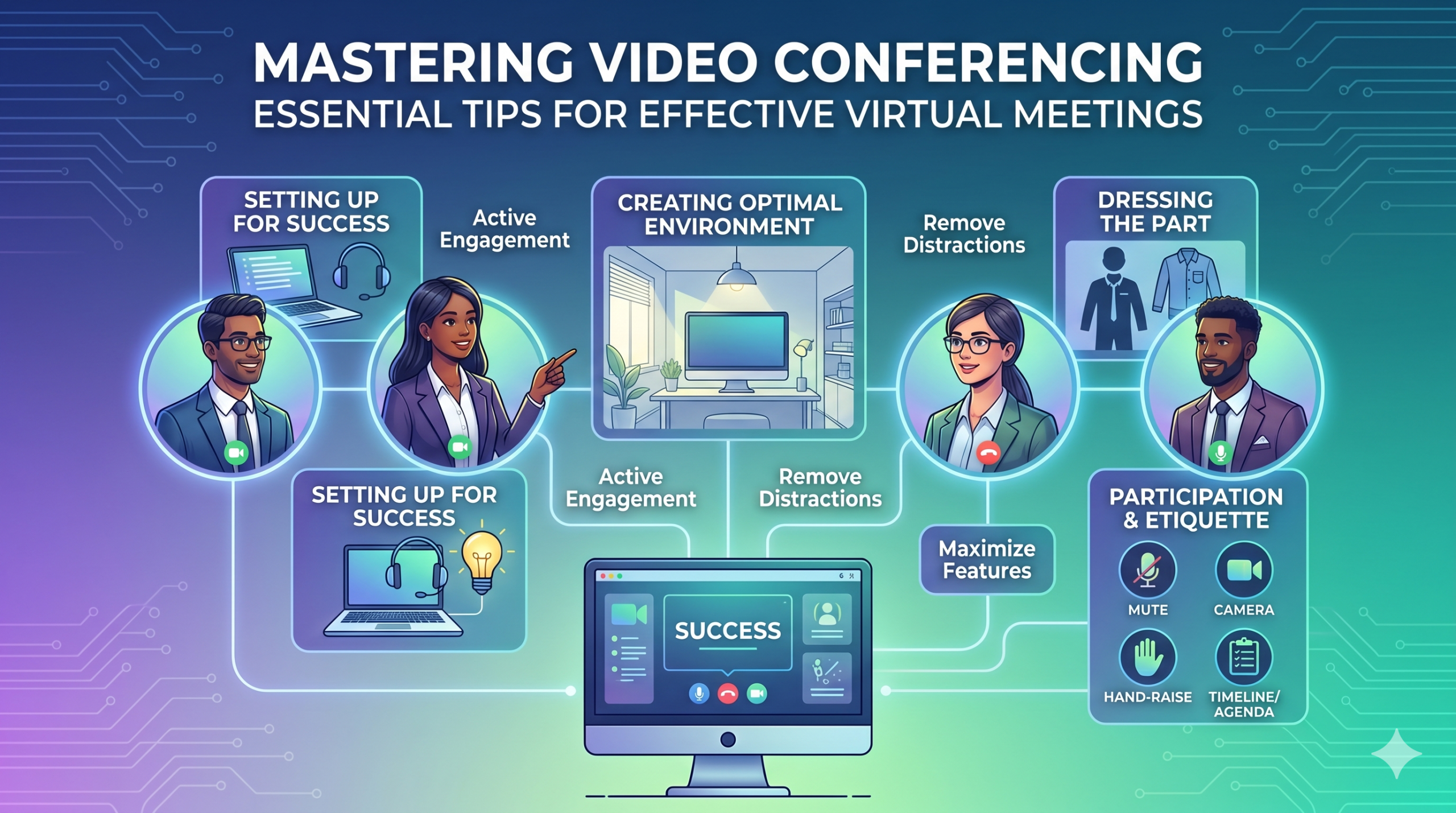

La tecnología ha estado cambiando rápidamente la forma en que operan las empresas y no parece que vaya a desacelerarse en el corto plazo. La comunicación, las operaciones y el flujo de trabajo han mejorado, lo que facilita el trabajo colaborativo, sin importar la ubicación de la empresa o los empleados.
Ahora, el trabajo remoto no es sólo un beneficio sino una nueva norma, lo que hace que las reuniones virtuales sean una necesidad.
Aquí hay un hecho interesante.: Cerca de 96% de los empleados dijo que las videollamadas ayudan a sus equipos remotos a sentirse más conectados.
In virtual meetings, employees are supposed to share thoughts, talk about relevant topics, and solve problems as a team. But more often than not, things don’t go as planned.
People start to tune out, conversations go off track, meetings go over time, and some participants aren’t engaged. The result? We’re left with a lot of room for improvement for virtual meetings to be truly productive and effective.
On the flip side, when meetings go well, there’s a positive vibe in the team, everyone understands their expectations and responsibilities, and productivity and efficiency increase.
That’s what the goal of a great video conference is, every time.
In this article, we’ll share some of the best video conferencing tips to help you achieve more success in your collaborative effects. So read on.
Preparándose para el éxito
Now that so many of us are partaking in video conferences more frequently, making oneself appear and sound professional isn’t always easy when seated in PJs from the waist down.
Probablemente todos hemos sido testigos y contribuido a algunos momentos no tan ideales, o incluso embarazosos, durante el video de una conferencia.
To avoid such situations, here are some video conferencing tips that’ll help you set up for success from the start:
Elegir las herramientas adecuadas
Lo primero es lo primero: la plataforma que elijas realmente puede marcar la diferencia en la forma en que tus equipos hacen las cosas.
Si elige el incorrecto, podría encontrarse con problemas como configuraciones de reuniones largas, lentas y complejas, personas que tienen dificultades para unirse a su evento, no saber quién se presentó o tener herramientas limitadas para presentar información e interactuar.
To make the right call on the tool to use, figure out what’s most important for your team.
Tal vez necesite una plataforma que funcione directamente en su navegador web, que sea muy sencilla de iniciar y que tenga poca complejidad en la interfaz. Quizás esté buscando pizarras para realizar lluvias de ideas o una función que registre las reuniones automáticamente.
A continuación se muestran algunas características más comunes que se deben buscar en una herramienta de reunión virtual eficaz:
- Fácil de usar: Debería ser fácil de usar para todos, incluso para los principiantes en tecnología que no están bien versados en el uso del software.
- Vídeo y sonido de buena calidad: nadie quiere vídeo borroso o audio con retraso. Algunas herramientas manejan mejor las señales de Wi-Fi más bajas que otras.
- Interactive Tools: Tools that help everyone participate and engage – like sending visual reactions, chatting and sharing documents, and more.
- Análisis: obtenga información sobre sus reuniones para mejorarlas (tiempo, tamaño de los participantes, estadísticas de participación, etc.).
- Cubre todo lo que necesita: la herramienta debería funcionar bien antes, durante y después de la reunión para lo que realmente necesita.
Consejos adicionales para conferencias efectivas
Lo más probable es que reciba una invitación a una reunión mucho antes de la reunión programada. Vaya al sitio web o descargue la aplicación de antemano e inicie sesión para asegurarse de que todo funcione.
No llegue tarde a la reunión sólo porque estaba intentando recordar una contraseña para iniciar sesión o navegando por un montón de mensajes de "Permiso necesario" para acceder a su cámara y micrófono.
La mayoría de los sitios de videoconferencia le permiten crear una reunión de prueba para solucionar cualquier problema en su hardware, como descubrir que su cámara web no funciona o su micrófono está demasiado silencioso durante la videoconferencia.
Creando un ambiente óptimo
Quizás sepas cómo lucir genial en las videollamadas, pero ¿qué pasa con tu experiencia en videoconferencias? Puede decir mucho sobre ti, y no siempre en el buen sentido.
A continuación se ofrecen algunos consejos sencillos para realizar videoconferencias para asegurarse de que su entorno envíe el mensaje correcto en un entorno profesional:
- Get the Lighting Right: Good lighting makes you look professional. Use natural light from a window. Or go for soft and even lighting. Just don’t have too much light behind you.
- Keep the Background Simple: Don’t clutter your background with too many items. Keep it tidy and neutral. You can add a few personal items for a friendly touch.
- Decore intencionalmente: si tiene un estante o librero al fondo, muestre premios o notas relacionadas con la reunión. Hazlo útil.
- Evite puertas y ventanas: apunte la cámara lejos de puertas y ventanas para evitar distracciones y problemas de iluminación.
- Position Your Webcam Right: Place your webcam at eye level, three to eight feet away from you. That’ll help you avoid distortions.
- Create a Permanent Setup: Designate a spot for video calls so you don’t scramble every time. You can use a fabric or paper backdrop for convenience.
- Utilice la vista previa de la cámara web: compruebe cómo se ve todo en la cámara antes de su llamada. Haga los ajustes necesarios.
Recuerde, si sucede algo inesperado (como que su niño pequeño irrumpa), mantenga la calma y mantenga el profesionalismo; su energía también contribuye al “ambiente”, así que concéntrese en no perder la compostura.
Presentación y compromiso
Vestirse bien
Vístase adecuadamente para reuniones profesionales.
We’ve all had those days when working from home meant staying in pajamas for most of the day. It’s all good if you don’t have any video meetings. But when you do, it’s a big no-no for you and everyone else on the call.
Use ropa apropiada para el trabajo.
You and your team should look the part for virtual meetings, even if it’s casual. You don’t need to wear a suit or a fancy dress but avoid wearing anything you wouldn’t wear at the office. Also, it’s a bit tricky to feel like you’re working when you’re in the same clothes you crashed out in.
You have a choice, though. You can look professional on top and keep comfy sweatpants or leggings on the bottom, out of sight. It’s your call, but being fully dressed might help you keep your head in the game.
Participación activa
Mire directamente a la cámara.
Many participants make this slip-up—they look at the video screen instead of the camera when talking to someone online. It might feel natural, but it actually makes you seem like you’re not fully engaged.
It can make you look a bit distant and not so professional. And it’s pretty obvious when you’re not all there during a video call.
Piénsalo de esta manera: looking right into the camera lens is like looking someone in the eye when talking face-to-face. If someone talking to you in real life looks elsewhere instead of keeping eye contact, you’d think they are not interested in what you’re saying, right?
Looking directly into the camera is one of the basic video meeting etiquette. So, give it a go until you get the hang of it. It’ll make you seem more connected and professional during your virtual meetings.
Also, shut down all the extra apps and tabs you don’t need and turn off those pesky notifications that can distract you and your mates.
Silencia tu voz cuando no hables.
People can often tune out background noise on their end, but it’s tough to ignore when you’re on the receiving end of the call.
Nobody’s keen to listen to your cat’s meow in the background. And if they do, you might find the meeting topic shifting to “What cat breed is that? She’s gorgeous!”
Unmuted people can be quite distracting and take the meeting off track. So, let’s make a rule: keep yourself muted unless you are about to speak for a better video conference.
Nunca hables por encima de los demás.
Things can get pretty tricky when you have a bunch of people on the same video call. Be patient, and do not jump in while others are talking—it’s rude and against conference call etiquette.
Guarde sus preguntas hasta el final para que todos tengan la oportunidad de compartir sus pensamientos. Pocas cosas son más desalentadoras que ser interrumpido y hablado constantemente, especialmente cuando tienes algo realmente valioso para compartir.
Involucre a participantes remotos utilizando la tecnología.
Quiere que los participantes de sus reuniones en línea se sientan incluidos y cómodos. Según una conferencia informe, two big issues for remote workers during conference calls are not wanting to interrupt others and not seeing everyone’s faces.
Para hacer su conferencia virtual más accesible, mejore la calidad de las videollamadas.
Además, coloque el micrófono y la cámara correctamente, utilice subtítulos y proporcione una opción de acceso telefónico. Asegúrese de que los documentos compartidos sean fácilmente visibles para todos los participantes.
Transforme a los asistentes a sus reuniones de observadores pasivos a participantes activos. Fomenta la creatividad con pizarras, la toma de decisiones con encuestas, comparte opiniones vía chat y expresa reacciones con divertidos emojis en tus reuniones virtuales
Etiqueta y consideraciones
Gestión del tiempo
Sea puntual: llegue siempre a tiempo.
This rule applies to all kinds of meetings—in person, on video, or a mix of both. But it’s one of the must-follow video conference best practices in particular. You see, making those personal connections is tougher through screens. Even though tech helps, it’s pointless if you’re absent. So, be there for your colleagues and respect their time.
Tenga en cuenta las zonas horarias al programar.
Es posible que no puedas incluir a todos en cada reunión virtual, pero puedes asegurarte de que todos tengan la oportunidad de unirse a alguna.
One of the tips for video conferencing to consider is to just think about when people are usually busy with their work, where they’re located, and what time zone they’re in. Then, plan your meetings to fit around these factors so that everyone can be a part of it.
Envíe una agenda antes de la reunión.
Keep things simple and clear when you’re getting ready for a meeting. Ensure you’ve got a clear idea of what you want to achieve, and share the plan with your team in advance. This allows everyone to think about what they want to say or ask, setting the foundation for a successful video conference.
Para mantenerse organizado, incluya un horario en la agenda de su reunión. Esto le ayuda a mantener el rumbo y no salirse por la tangente. Dedique algo de tiempo para comenzar la reunión con un poco de conversación amistosa; esto ayuda a crear una atmósfera positiva.
Mantenerse libre de distracciones
Elimine posibles distracciones de su entorno.
When you’re right in the thick of a busy workday, you might feel like having a go at doing other things during a video call. But humans aren’t that great at multitasking—only about El 2,5% de las personas puede lograrlo..
Tratar de hacer demasiado a la vez puede hacer que te sientas estresado y pierdas la concentración. Además, puede distraer bastante a tus compañeros de equipo durante la llamada. Entonces, aquí están los protocolos de videoconferencia a seguir:
- Cierra cualquier otro trabajo en tu computadora.
- Coloque esa videollamada y cámara web justo delante de usted si tiene varias pantallas.
- Silencia esas notificaciones en tu computadora y teléfono.
- Resista la tentación de consultar las redes sociales durante la llamada.
- If you’re working from home with the family around, give them a heads up that you’re on a call so they don’t come barging in.
Preste siempre plena atención a la reunión.
Avoid the urge to check emails or tinker with your PowerPoint during video calls; it’s just not good video conference etiquette. Similar to face-to-face meetings, showing respect to your colleagues by giving them your full attention is necessary.
Here’s one of the top video conferencing tips: If you wouldn’t do a particular action in person, don’t do it during a virtual meet-up.
Conclusión: maximizar las funciones de videoconferencia
Trabajar en equipo significa trabajar juntos, discutir cosas importantes y aspirar a buenos resultados. Las reuniones virtuales deberían ser así.
Check out your virtual meeting tool’s reports to see how people got involved and what they liked best. You’ve hit the jackpot if the reports say that participants were all about the polls, questions, upvotes, and chats.
Use video tools to get your team chatting, steer them toward group goals, and ensure everyone has a positive vibe. That’s one of the top-secret tips for video conferencing.